ILA staff and volunteers
ILA administration
Approvals, peer review visits, coordinator verification, chasing stale listings, and the audit log. The routine work that keeps the board worth trusting.
Lesson 1 · about 5 min
The county overview
Read the board's health in under a minute.
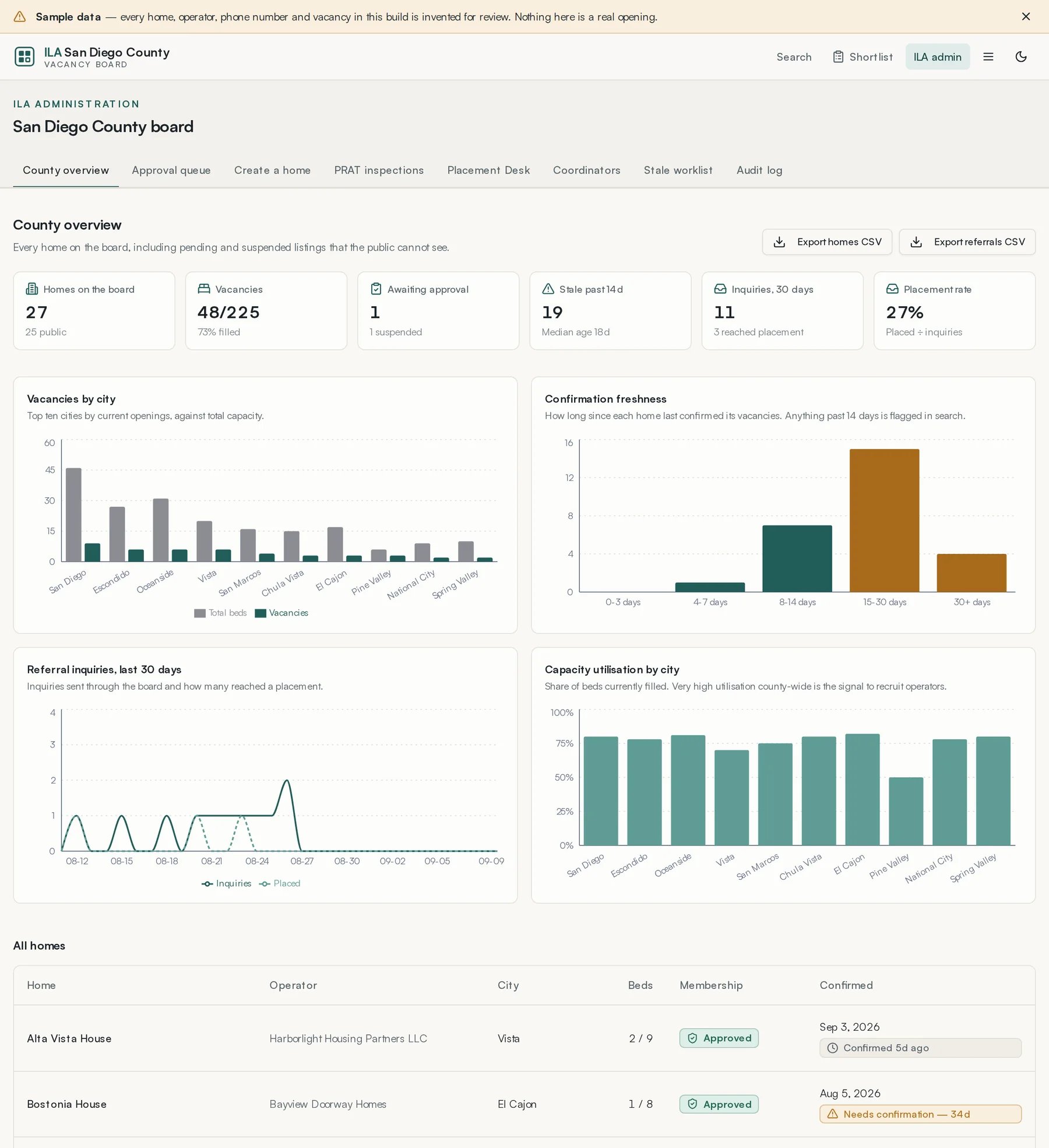

Six figures across the top, then four charts:
- Homes on the board
- Total, with how many are public.
- Vacancies
- Open beds against total capacity.
- Awaiting approval
- Listings sitting in the queue. This should be a small number and it should not sit still.
- Stale past 14 days
- Homes that have not confirmed. This is the number that decides whether the board is worth using.
- Inquiries, 30 days
- Referral inquiries sent through listings, and how many reached a placement.
- Placement rate
- Placements against inquiries.
Export homes CSV and Export vacancies CSV download the underlying data for a board report or a grant application.
Lesson 2 · about 6 min
The approval queue
Decide what the public can see.
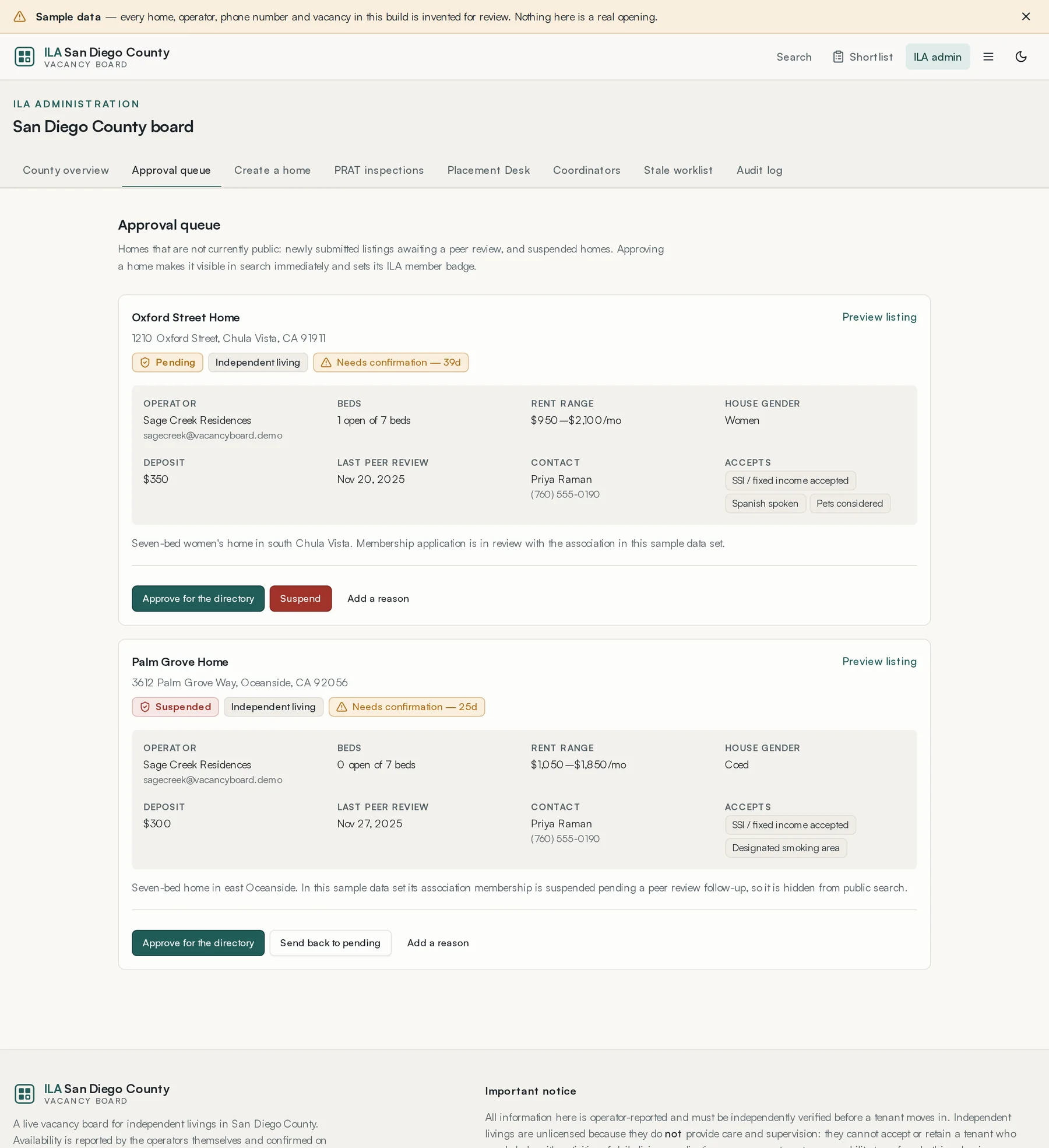
Everything not currently public: newly submitted listings awaiting peer review, and suspended homes. Each card shows the operator, beds, rent range, house gender, deposit, last peer review, contact and policies, with Preview listing to see exactly what the public would see.
- Approve for the directory publishes only after authorized ILA staff have recorded a passing PRAT.
- Suspend removes it from public search. It also withdraws that home's open offers on the Placement Desk and closes its conversations — a home that is off the board is off the board everywhere.
- Request changes or Reject applies to pending submissions. Suspension is reserved for approved listings.
- A reason is required for changes, rejection and suspension.
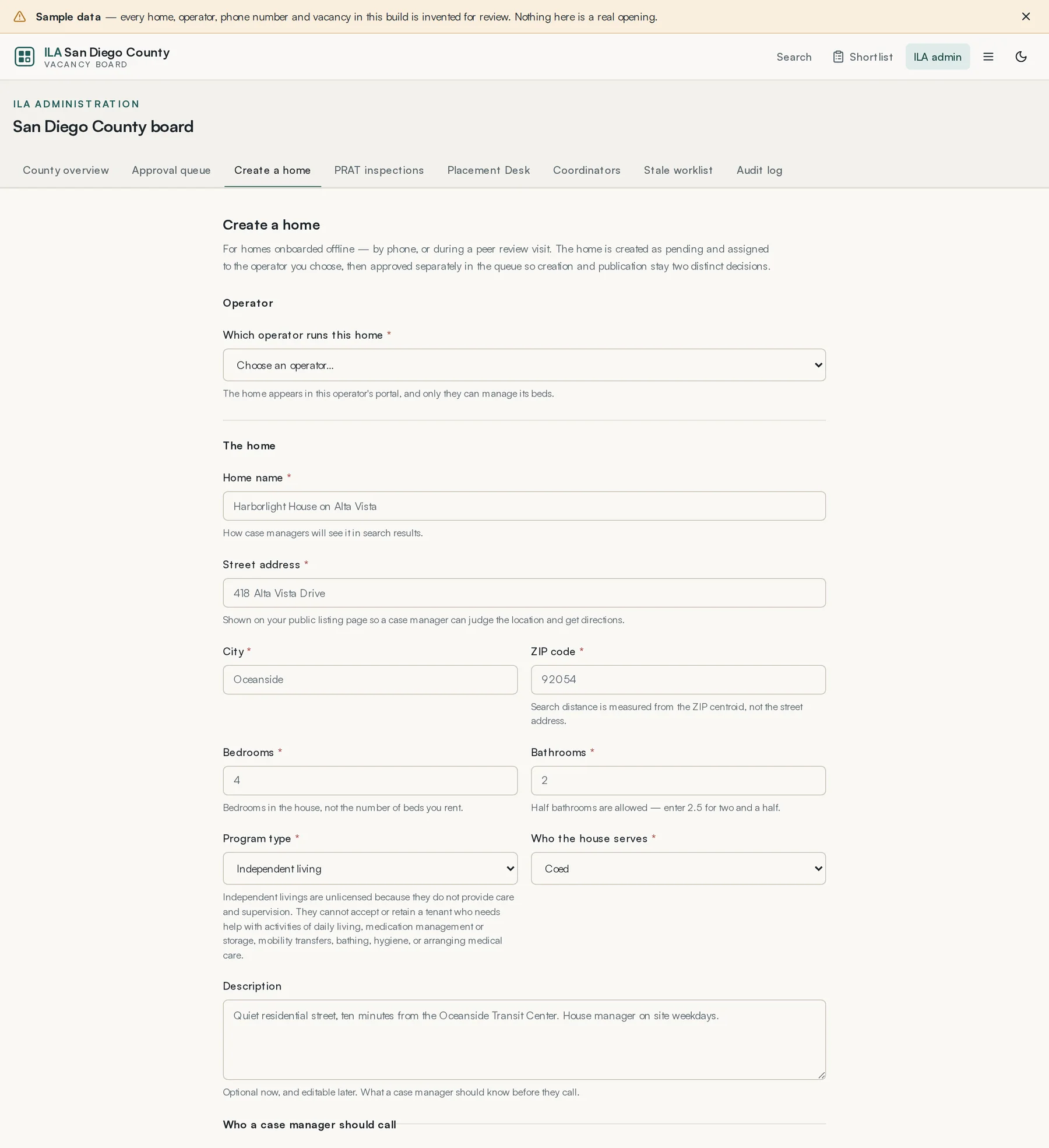
A home created this way is assigned to the operator you choose and still has to be approved separately. Creation and publication stay two decisions, and the audit log records that the ILA was the author.
Lesson 3 · about 6 min
Peer review visits
Record a PRAT visit and understand what it changes.
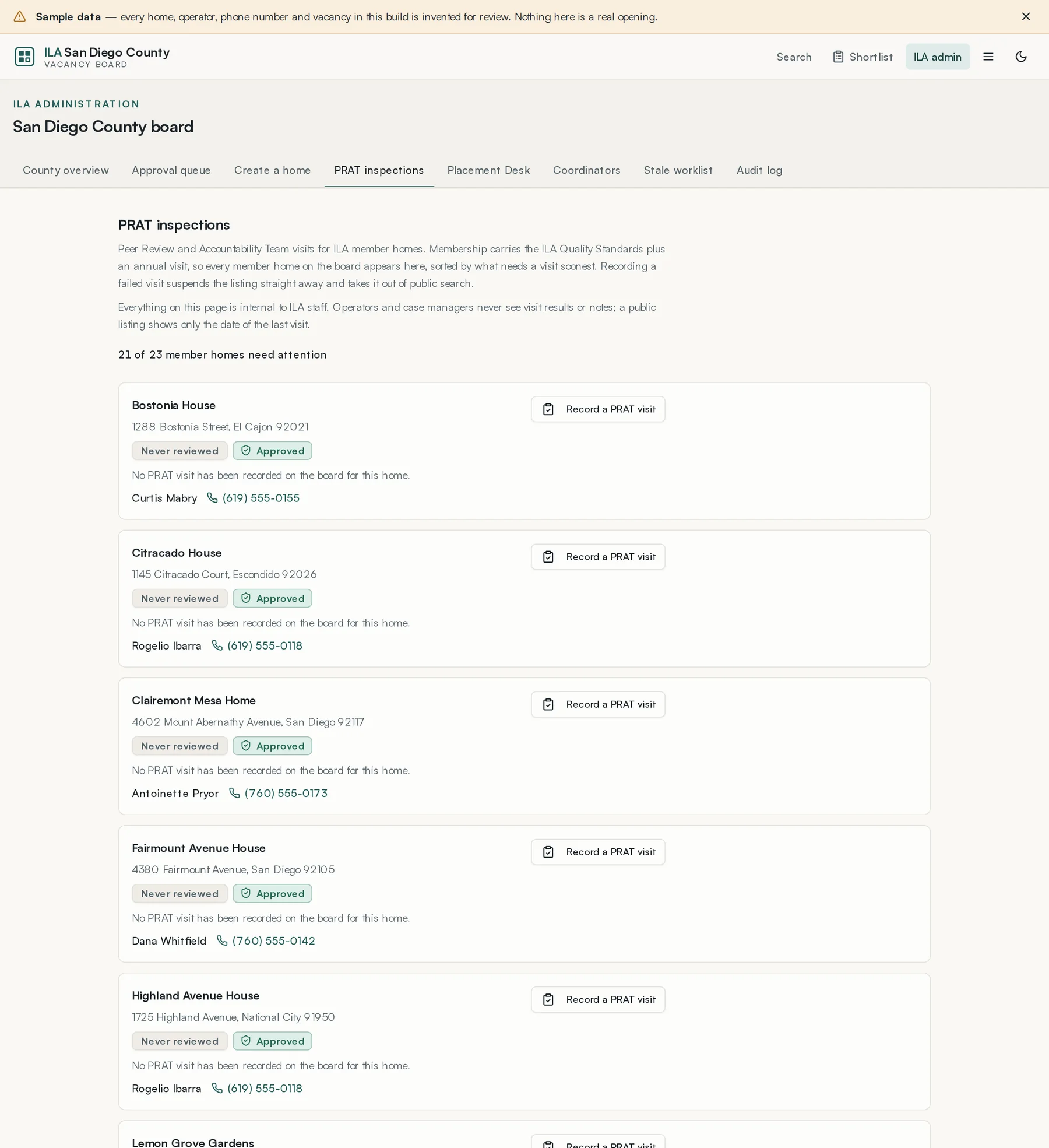
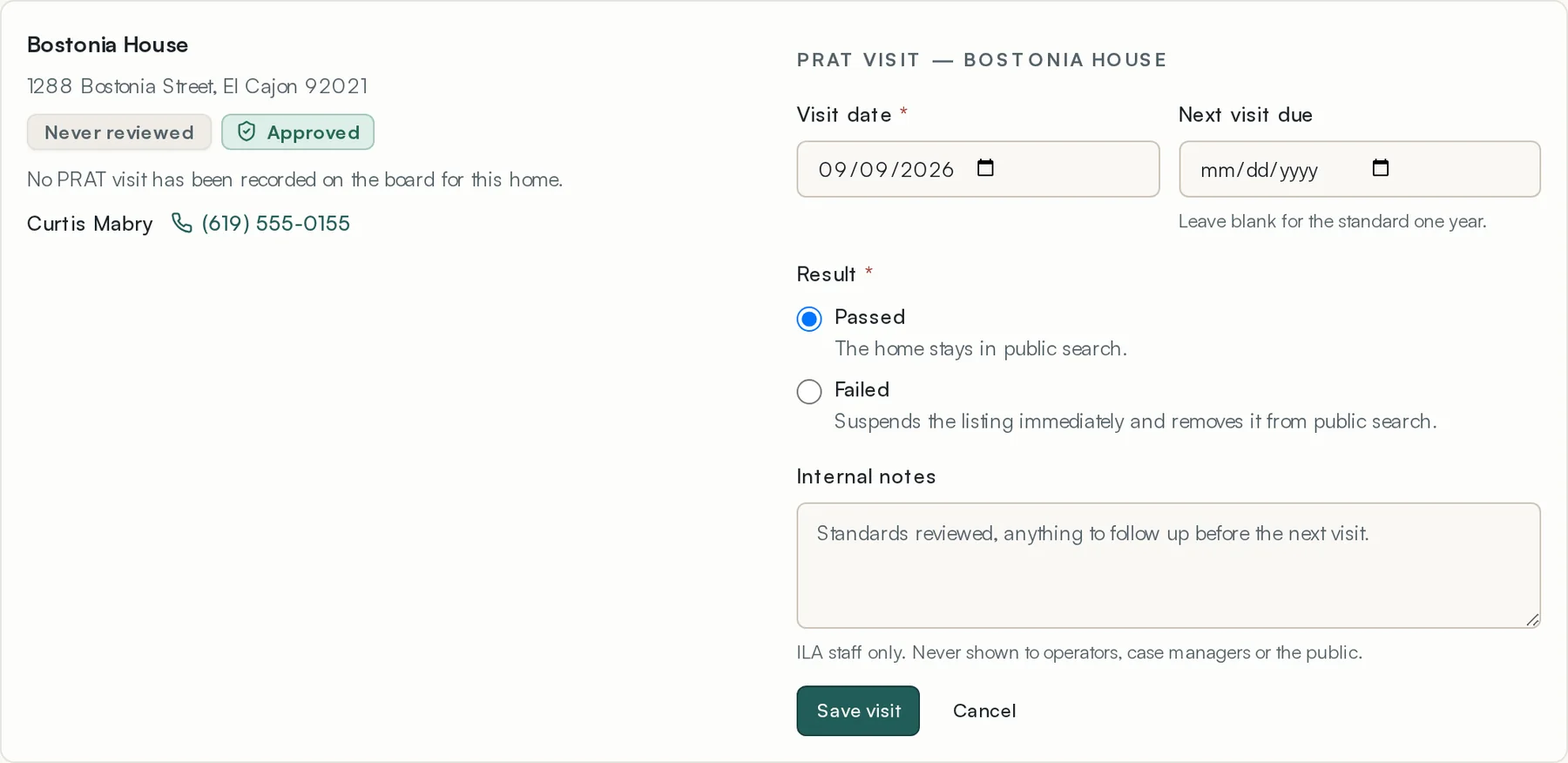
- Find the home and press Record a PRAT visit.
- Enter the visit date.
- Set next visit due if known. Leaving it blank does not invent an expiry date.
- Choose Passed or Failed.
- Write internal notes.
- Save.
- Passed keeps the home in public search.
- A latest Failed result withdraws an approved listing. An unpublished home stays unpublished, without being marked suspended.
- Internal notes are ILA staff only and are never shown to operators, case managers or the public. A public listing shows only the date of the last visit.
Lesson 4 · about 5 min
Verifying coordinators
Decide who may post referral requests.
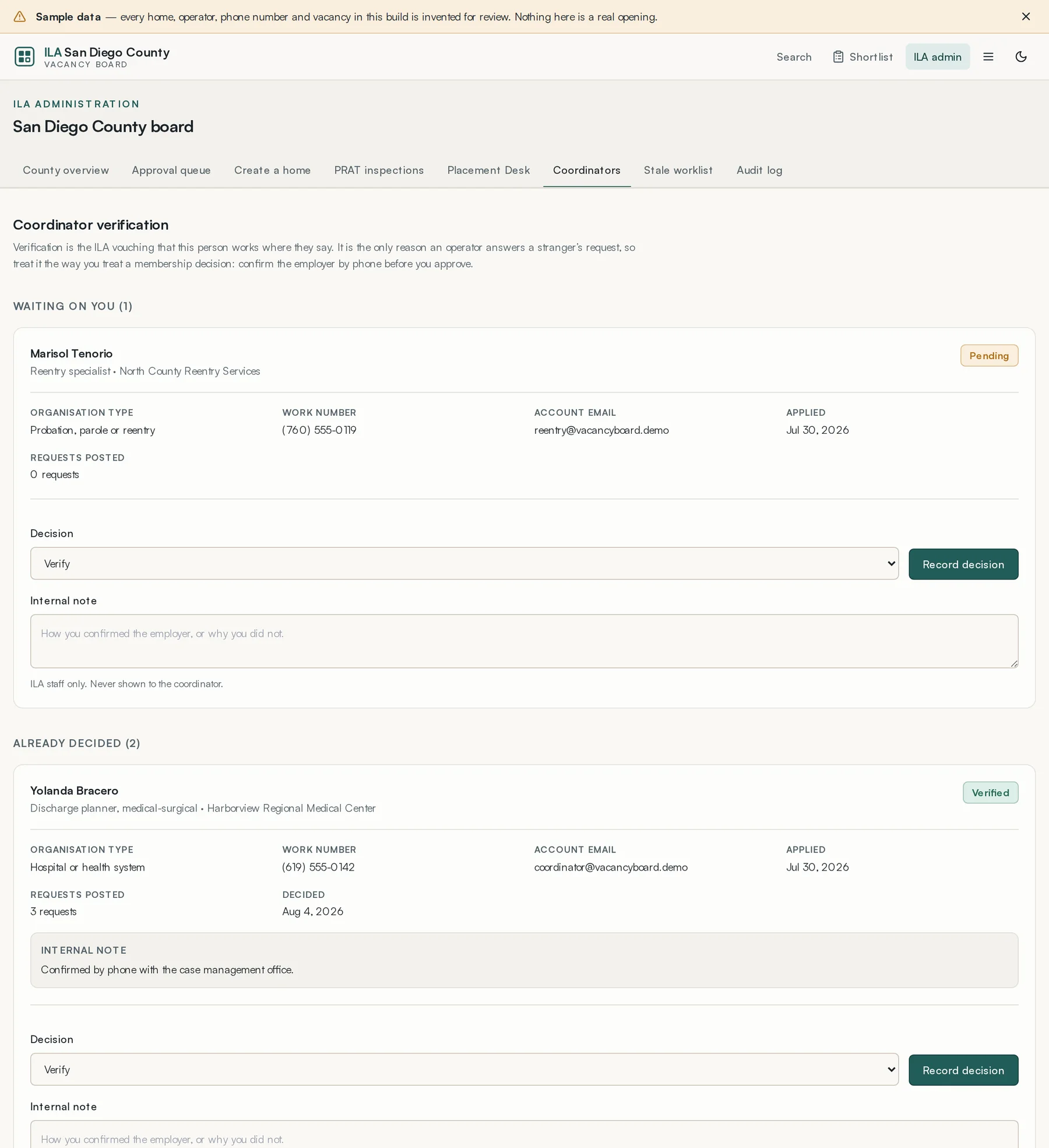
Each application shows the organisation type, the work number, the account email, when they applied, and how many requests they have posted.
- Telephone the employer to confirm the person works there.
- Choose Verify, Reject or Suspend.
- Write an internal note saying how you confirmed it, or why you did not.
- Record the decision.
Lesson 5 · about 5 min
Placement Desk oversight
Watch the desk for the failure that hides behind healthy-looking volume.
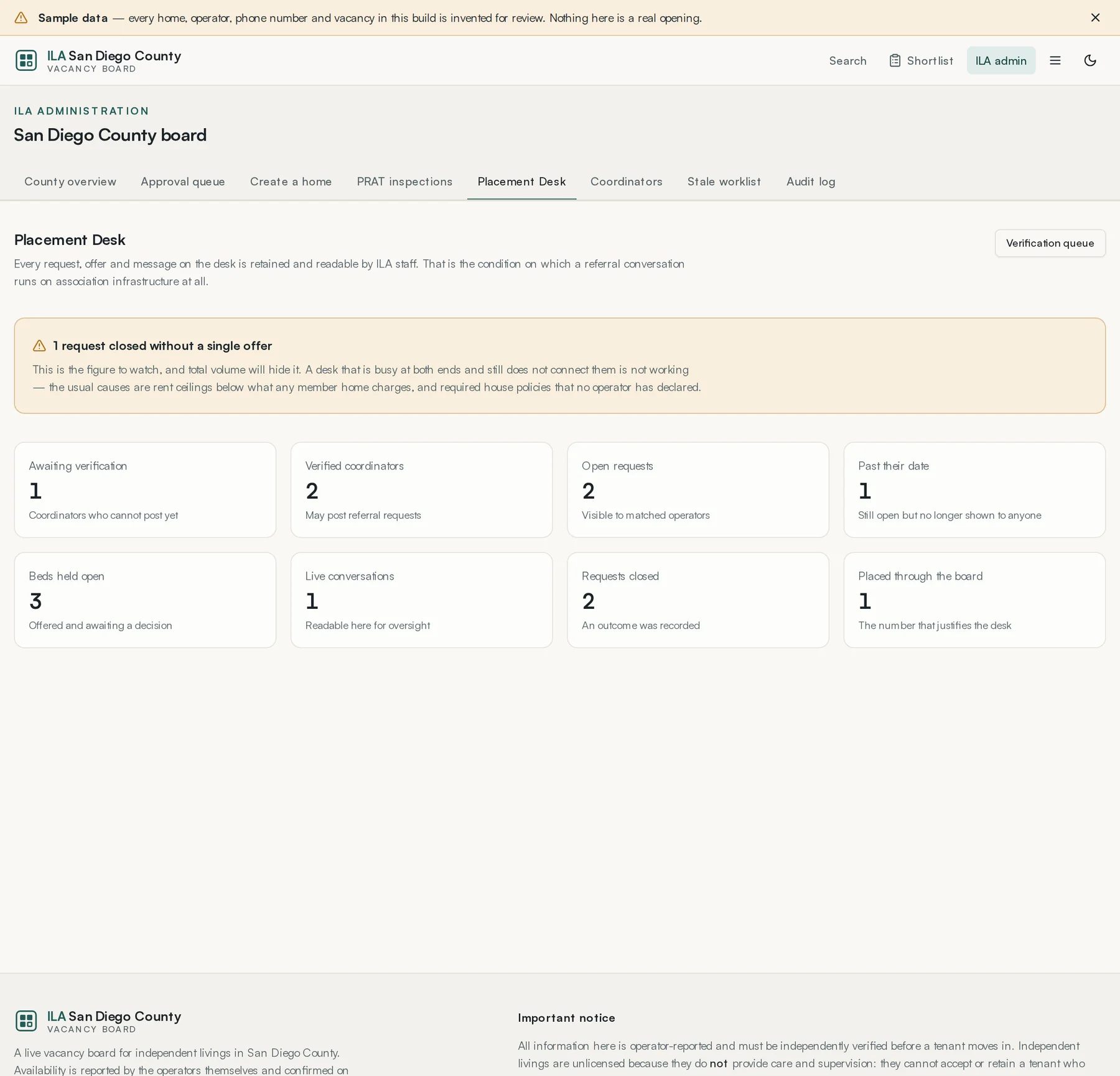
The page leads with requests closed without a single offer, because a desk that is busy at both ends and still does not connect them is not working. The usual causes are rent ceilings below what member homes charge, and required house policies no operator has declared.
Then eight counts: coordinators awaiting verification, verified coordinators, open requests, requests past their date, beds held open awaiting a decision, live conversations, requests closed, and placements made through the board.
Transcripts are readable here. Read them occasionally rather than never — the oversight this design depends on is not automatic.
Lesson 6 · about 5 min
The stale worklist
Do the highest-value routine job on the board.
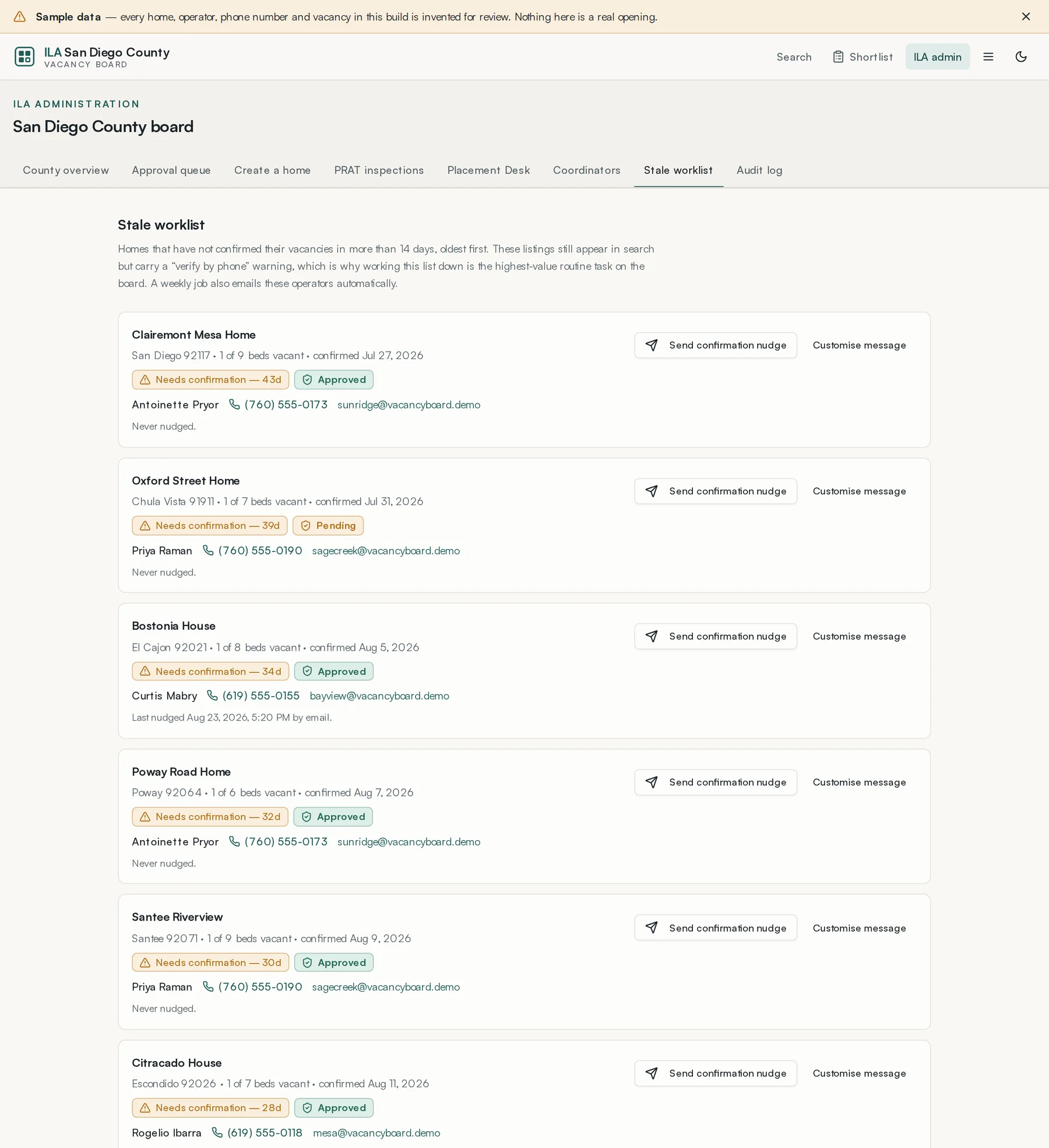
These listings still appear in public search but carry a 'verify by phone' warning. Working this list down is the single most valuable recurring task anyone at the ILA does, because a directory people stop trusting is worse than no directory.
- Send confirmation nudge emails the operator a one-click confirmation link.
- Customise message lets you edit the wording first — worth doing for a home you know.
- Each card shows when it was last nudged, so nobody gets chased twice in a day.
A weekly job sends these automatically as well. The worklist is for the homes that ignore the automatic one.
Lesson 7 · about 4 min
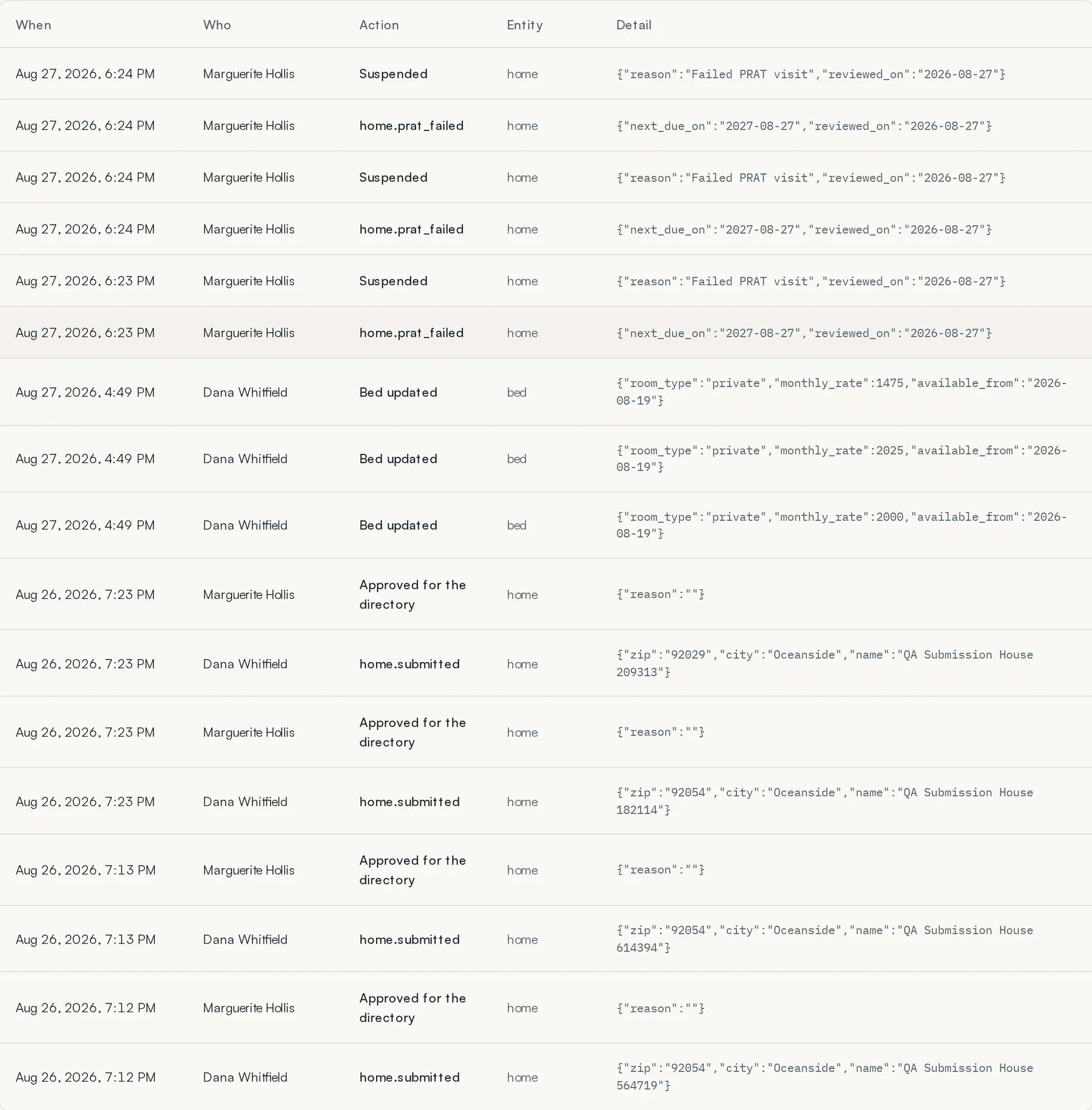
The audit log
Find out what actually happened.
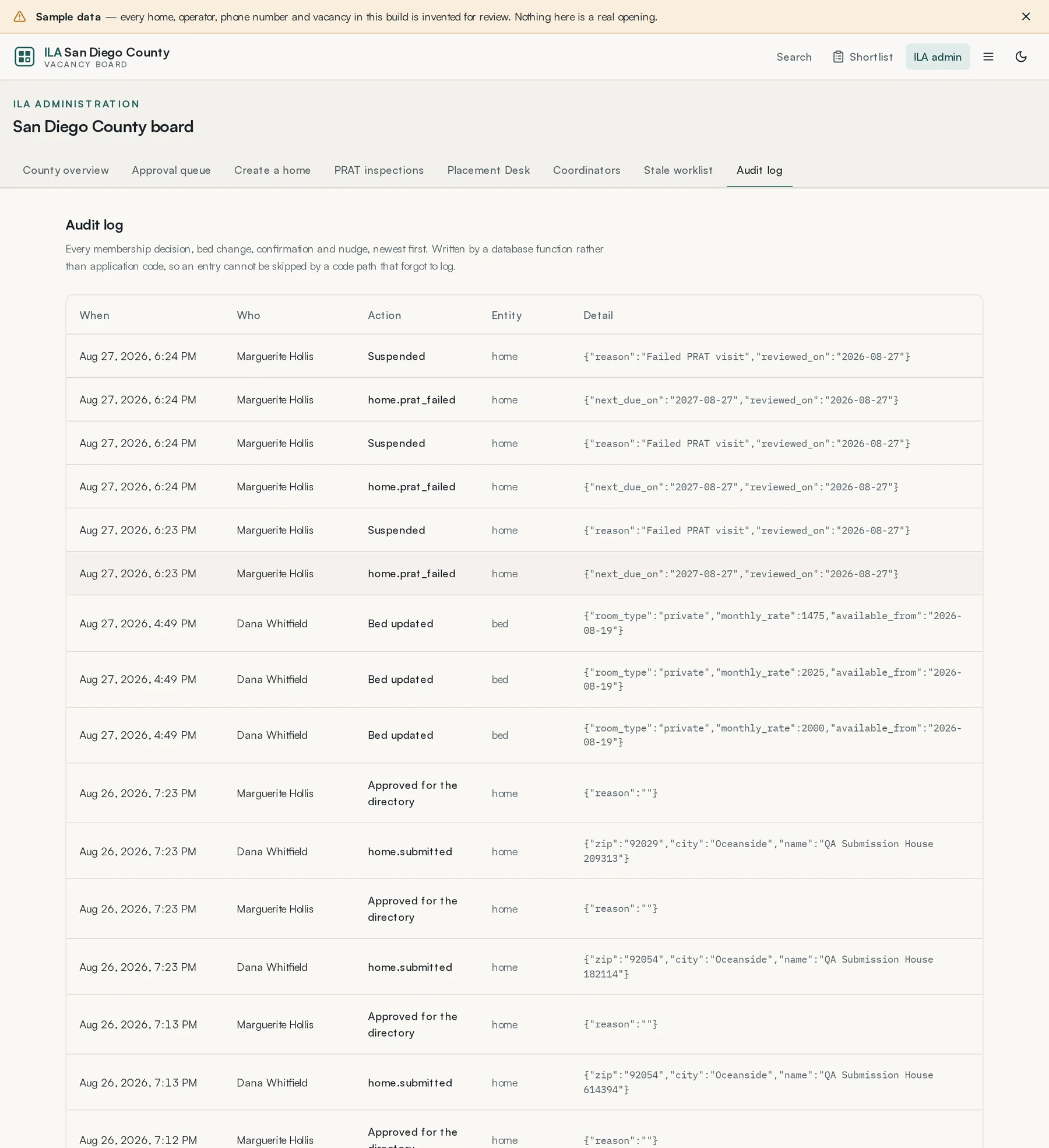
Each entry is a sentence saying who did what, to which home or person, and the reason when one was given. Entries are grouped by day, newest first. Use the filters to narrow the list by kind of event, home or person, for example to see who approved a home or why a listing was suspended.