Case managers, social workers and families (no account needed)
Finding a bed
Search, filter, read a listing honestly, shortlist the candidates, and make the call. This is the part of the board most people will ever use.
Lesson 1 · about 5 min
Your first search
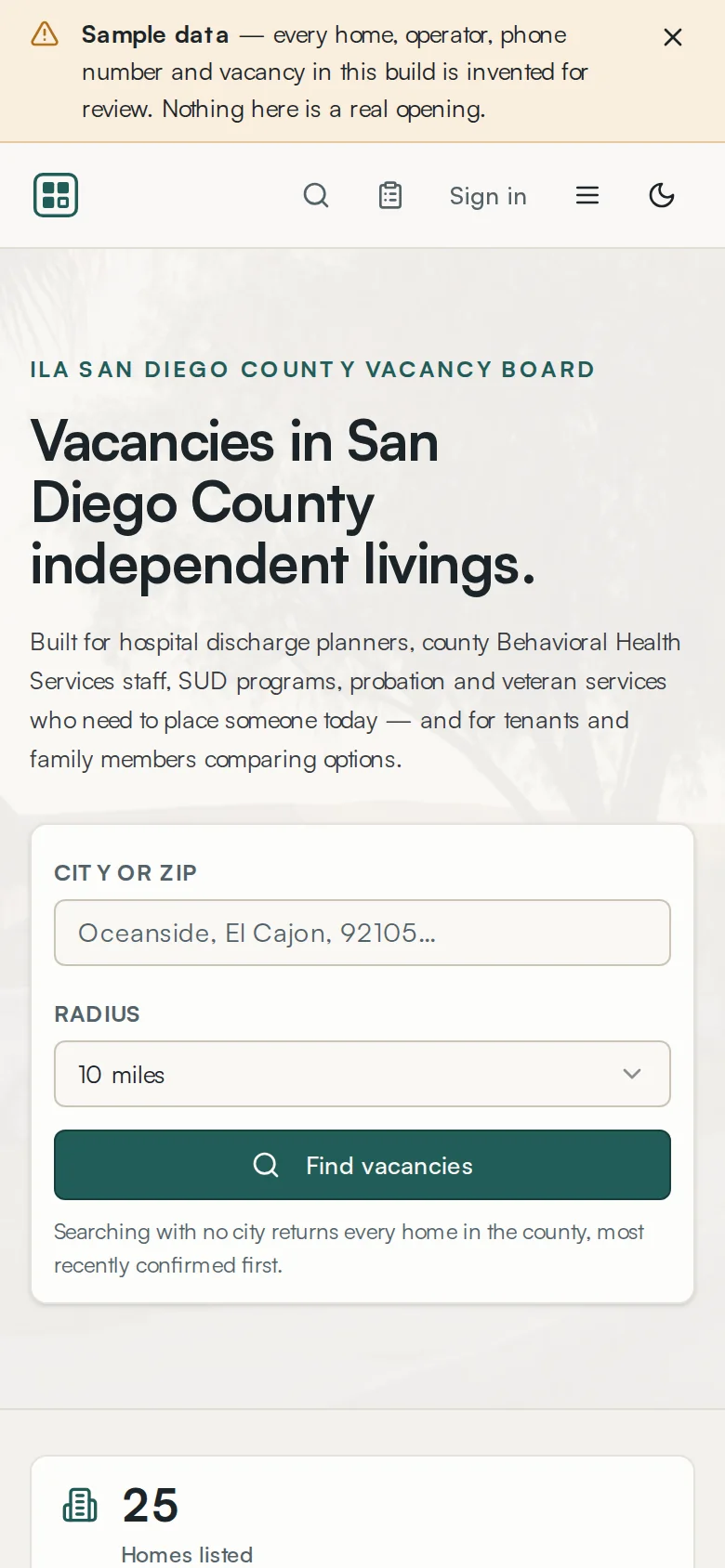
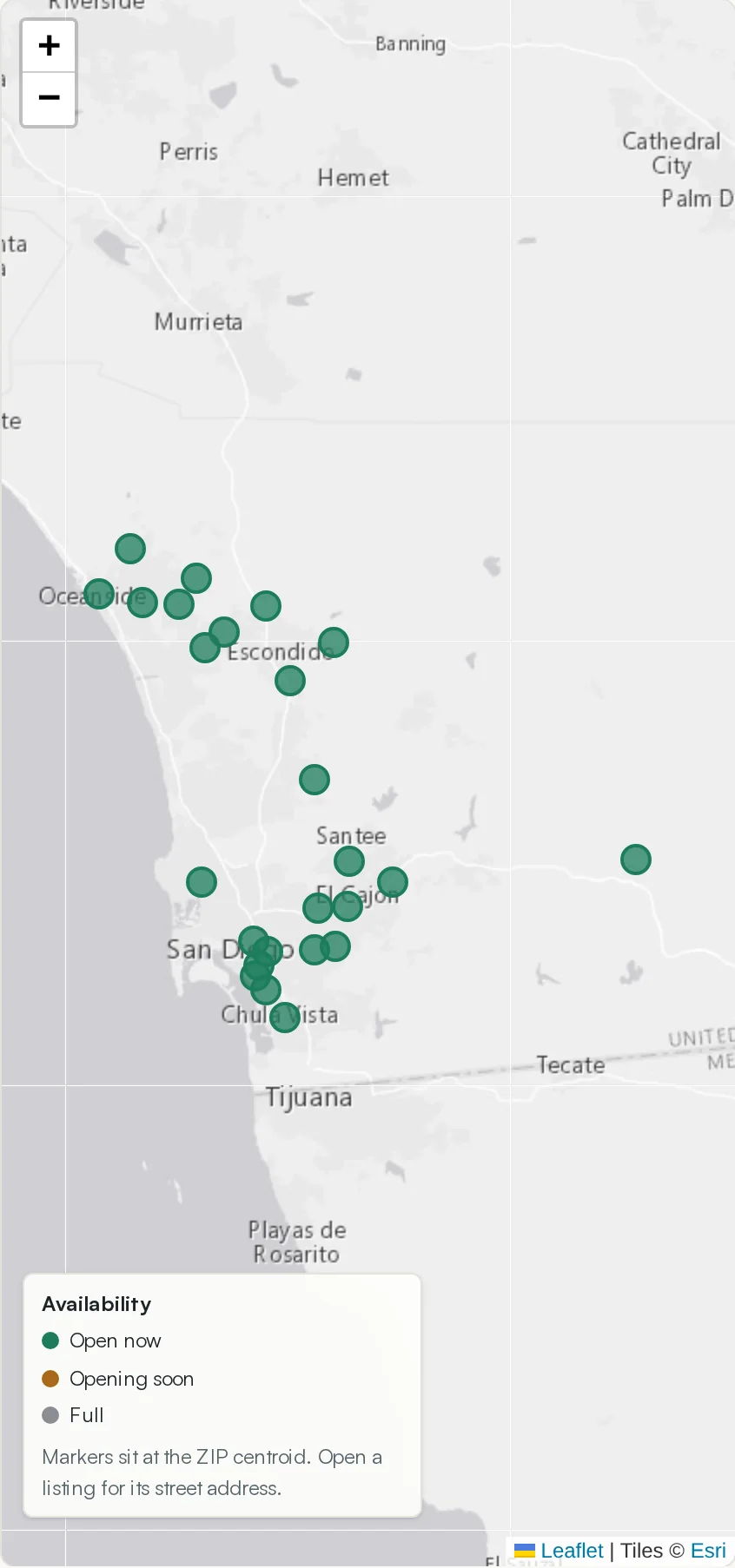
Get from the front page to a list of real openings near a place.

- Type a city or a ZIP code — Oceanside, El Cajon, 92105.
- Choose a radius: 5, 10, 25 or 50 miles.
- Press Find vacancies.
Searching with no city at all is a legitimate move: it returns every home in the county, most recently confirmed first. Start there when you do not care where the bed is, only that it exists.
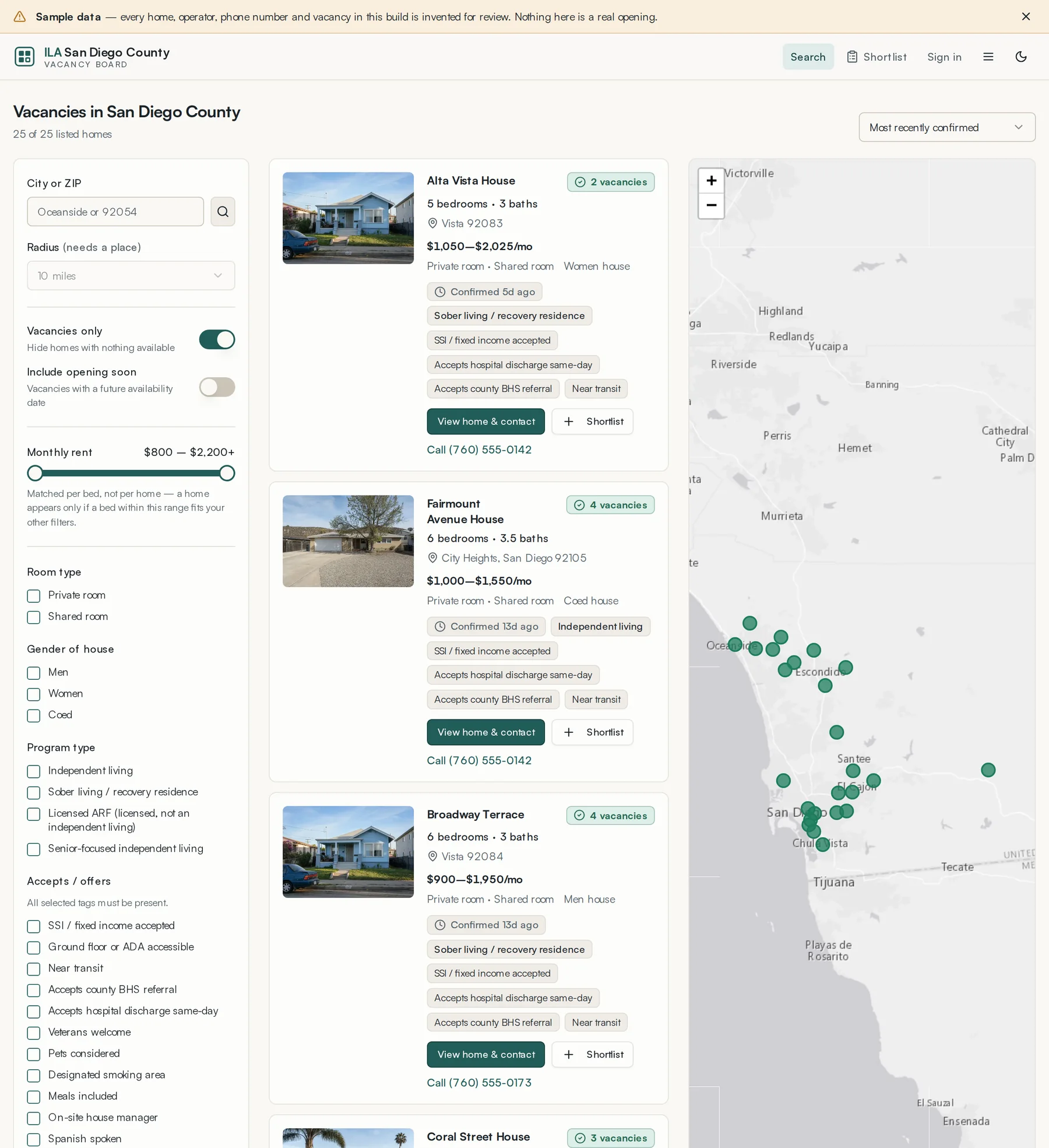
Sort the results with the control above the list. There are four orders:
- Distance
- Nearest first. Only meaningful once you have entered a city or ZIP.
- Rent (low to high)
- Cheapest opening first, by the lowest-priced vacant bed in the home.
- Most recently confirmed
- Freshest information first. This is the default when no place is set.
- Most vacancies
- Homes with the most open beds first. Useful when you are placing more than one person.
Lesson 2 · about 7 min
Narrowing the list
Use the filters that matter and ignore the ones that do not.
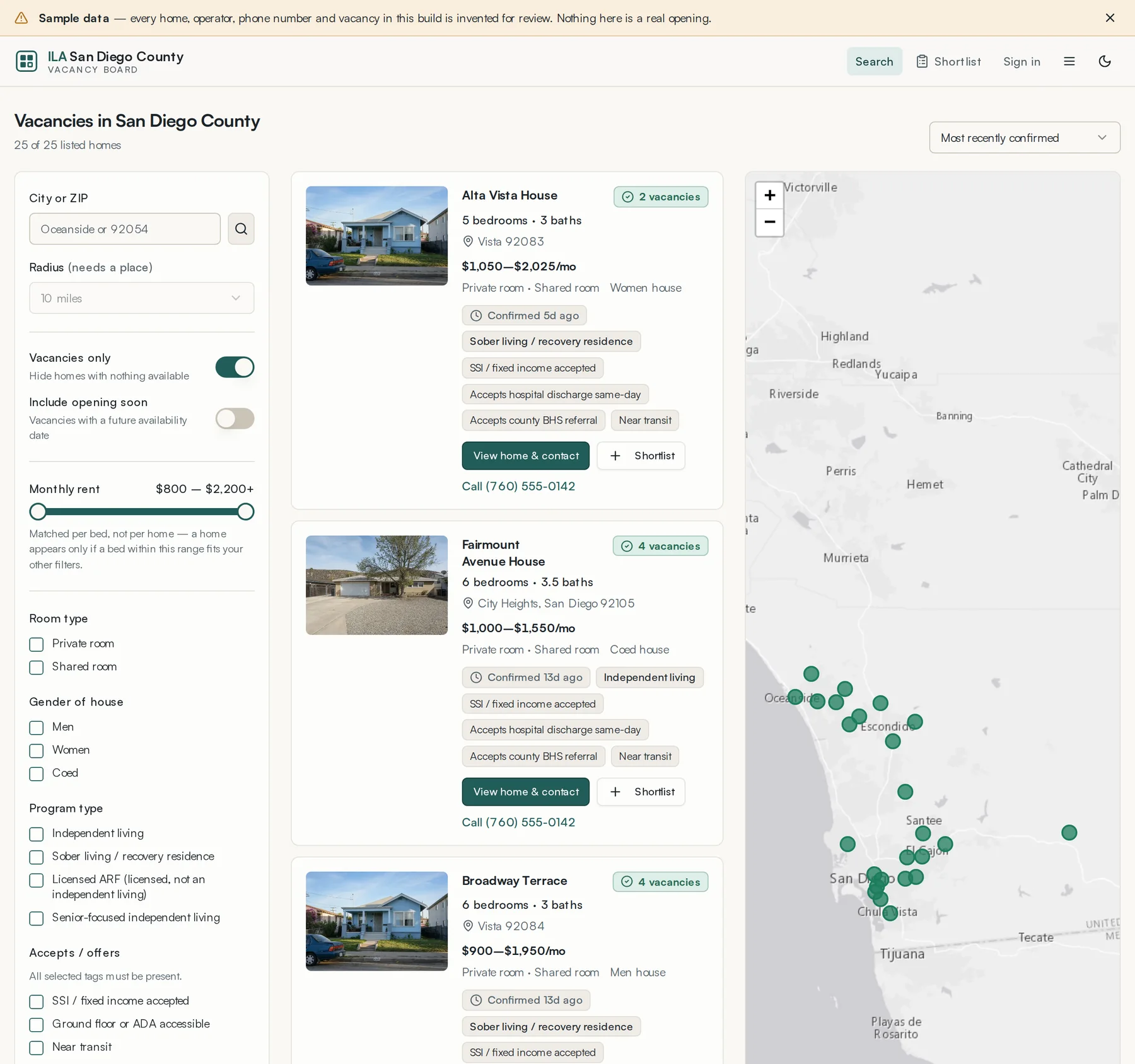
Everything you set in the filter panel is written into the address bar, so a filtered search can be bookmarked, or pasted into an email to a colleague and opened exactly as you left it.
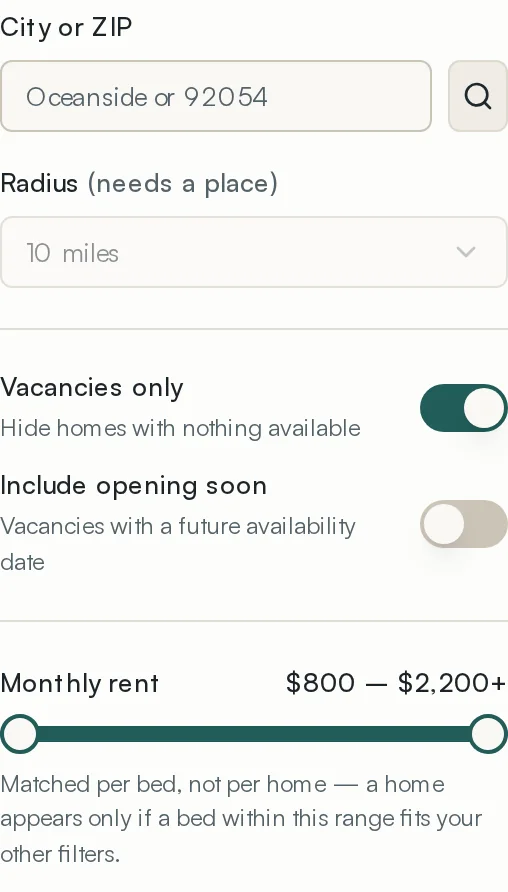
- City or ZIP
- Type a city or ZIP and press the magnifier. The radius selector stays greyed out until you do — there is nothing to measure from without a place.
- Radius
- 5, 10, 25 or 50 miles from that place.
- Vacancies only
- On by default. Turn it off to see member homes that are currently full — useful when you are building a list for next month rather than for tonight.
- Include opening soon
- Adds beds with a future availability date. Off by default, because a bed that opens in three weeks is not a bed tonight.
- Monthly rent
- A two-handled slider from $800 to $2,200+. It matches per bed, not per home: a home appears only if a bed inside it fits the range and your other filters.
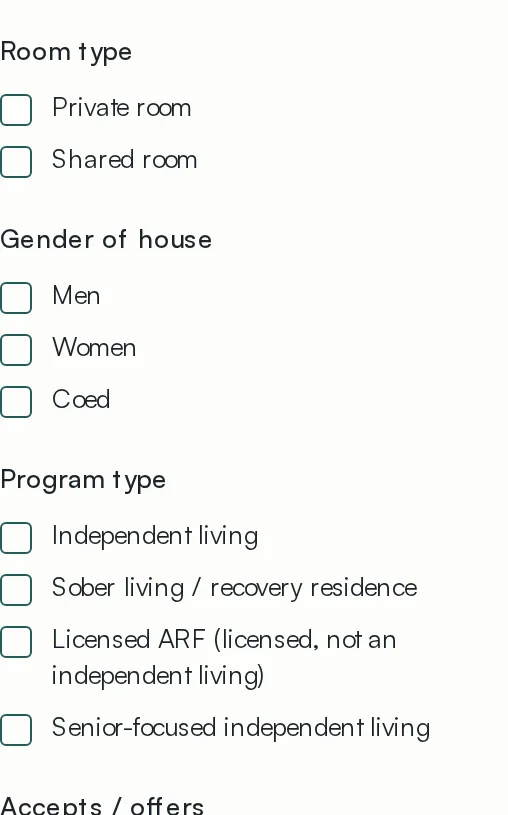
- Room type
- Private room, shared room, or both.
- Gender of house
- Men, women, coed.
- Program type
- Independent living, sober living or recovery residence, licensed ARF, senior-focused independent living. Independent living and senior-focused are both independent livings; ARF is the state-licensed category.
- Accepts / offers
- Fourteen house policies. Every one you tick must be present, so ticking more narrows the list.
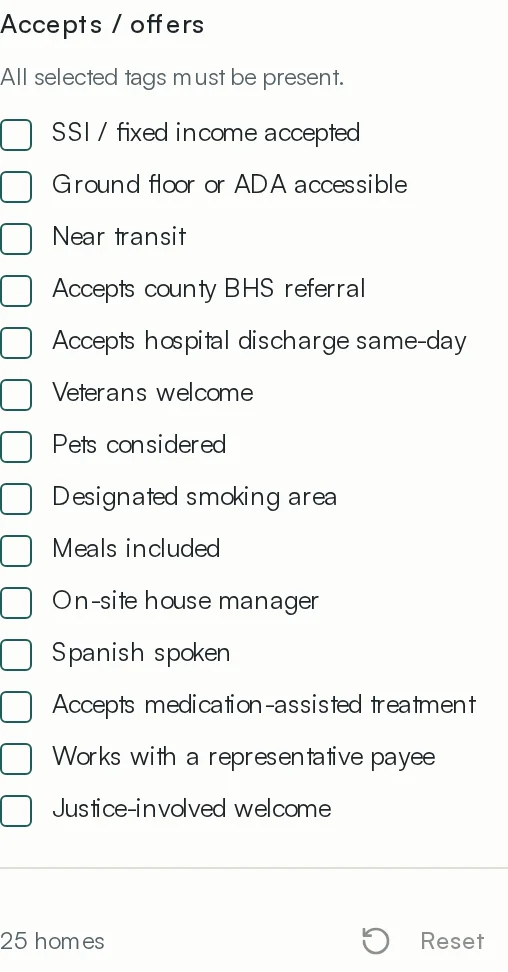
The policies are the ones worth learning. They answer the questions that otherwise take a telephone call: does the home take SSI, will it accept a same-day hospital discharge, does it work with county Behavioral Health Services, is medication-assisted treatment allowed, is there a house manager on site, does anyone speak Spanish.
The count at the bottom of the panel shows how many homes survive your filters and how many filters are on. Reset clears the lot.
Lesson 3 · about 5 min
Reading a result honestly
Know what a card is telling you, including what it is warning you about.
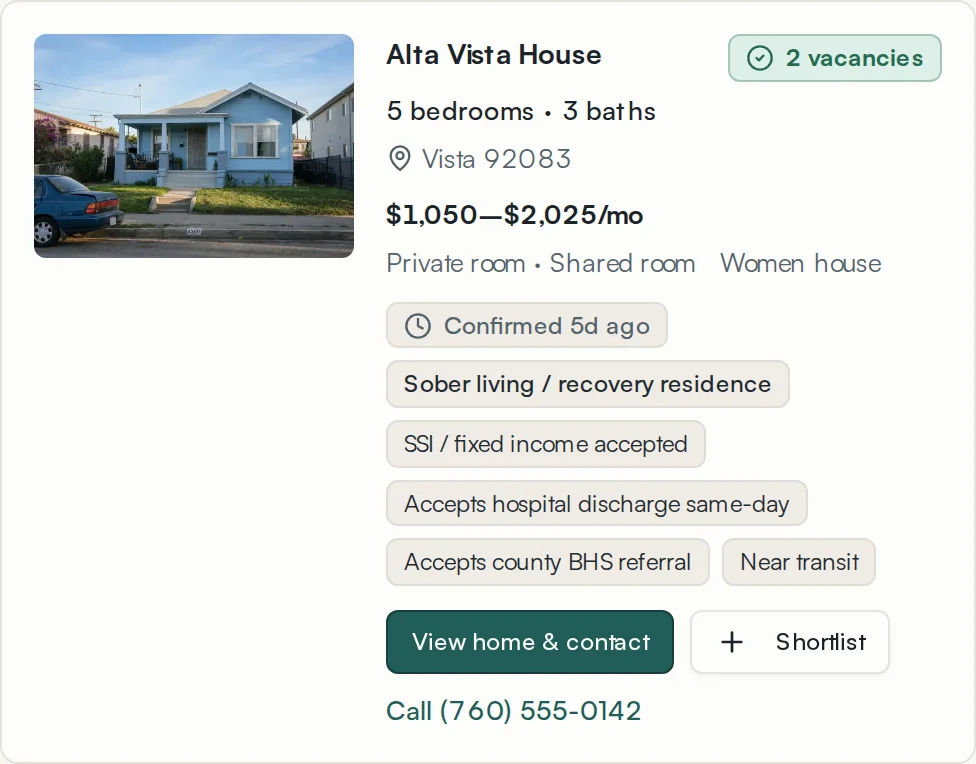
- Vacancies — how many beds the operator says are open right now.
- Confirmed N days ago — when the operator last touched it. This is the single most useful number on the card.
- Vacancies unconfirmed appears after fourteen days. Confirm availability with the operator before arranging a move.
- Rent range — the lowest to highest monthly rate among the vacant beds.
- Membership badge — whether the home is an ILA member in good standing.
- Policy tags — the same fourteen policies you can filter on.
Call dials the home directly from a phone. Nothing about that call goes through the board, and no one at the ILA sees it.
Lesson 4 · about 5 min
The listing page
Read a home in full and decide whether to ring it.
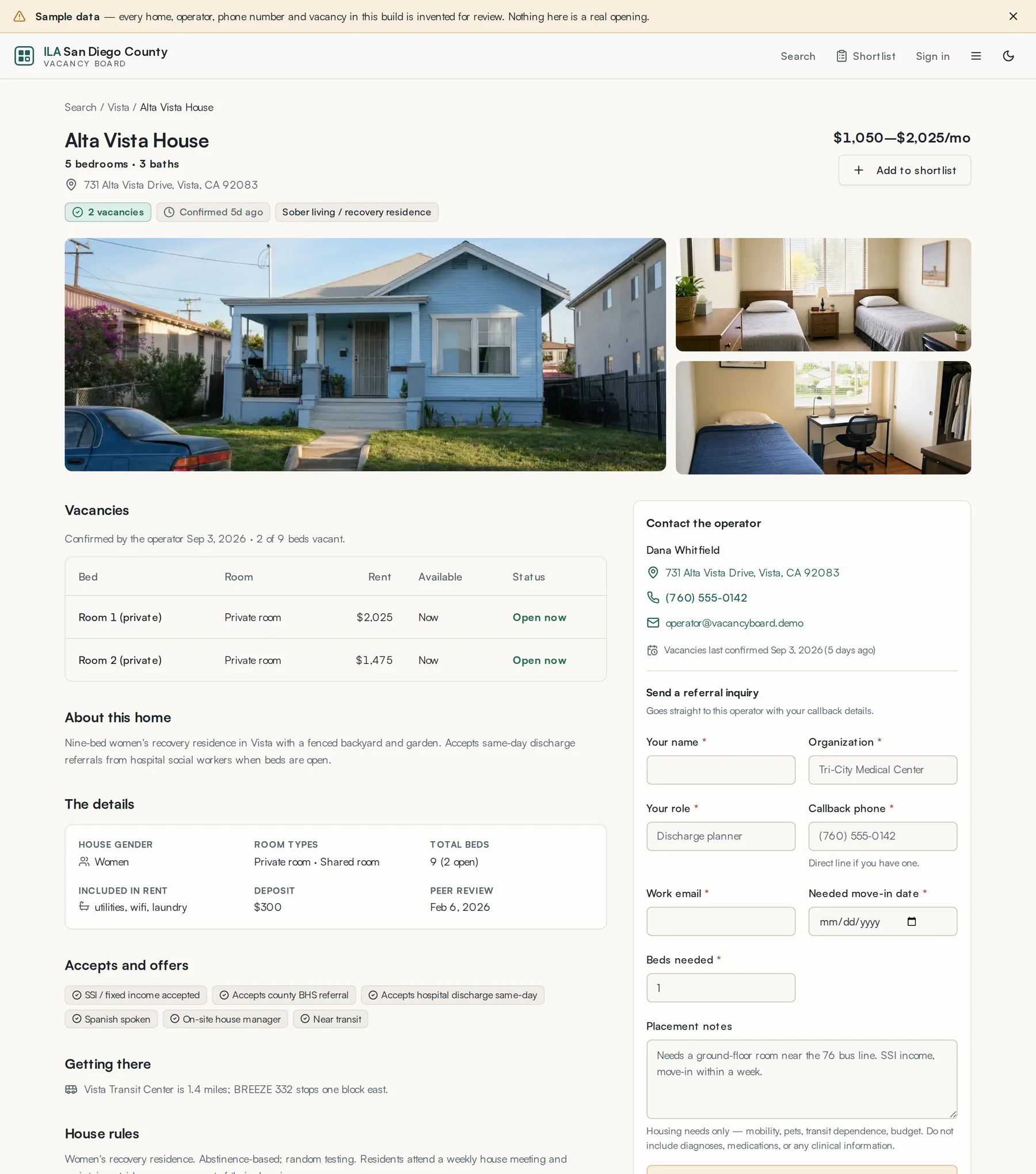
The listing repeats what the card showed and adds the things that decide a placement: the full description written by the operator, the address and neighbourhood, deposit, house rules, and who to call.
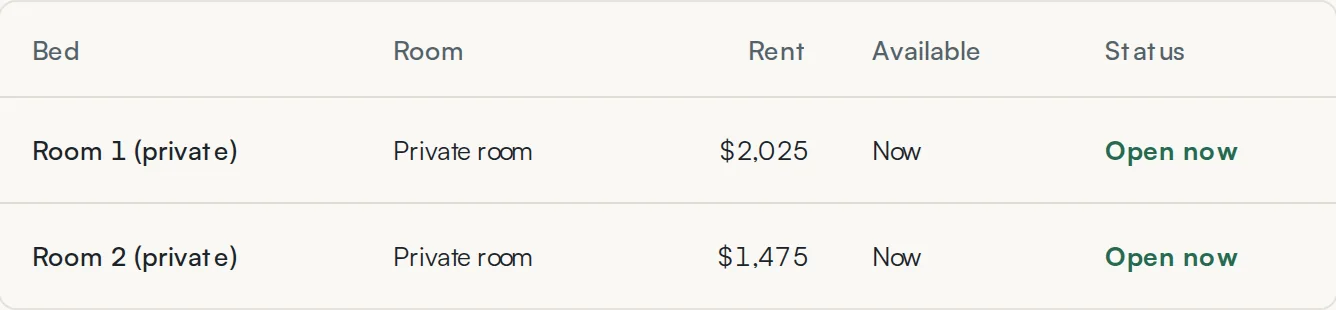
The bed table is worth reading before you telephone. A home showing three vacancies may have one bed free today and two free next month, and the difference is the whole conversation.
Lesson 5 · about 4 min
Building a shortlist
Collect the three or four homes worth ringing, then work the list.
- Press Shortlist on any result card or listing page.
- The count in the header goes up. Keep searching and adding.
- Open Shortlist in the header when you are ready to start telephoning.
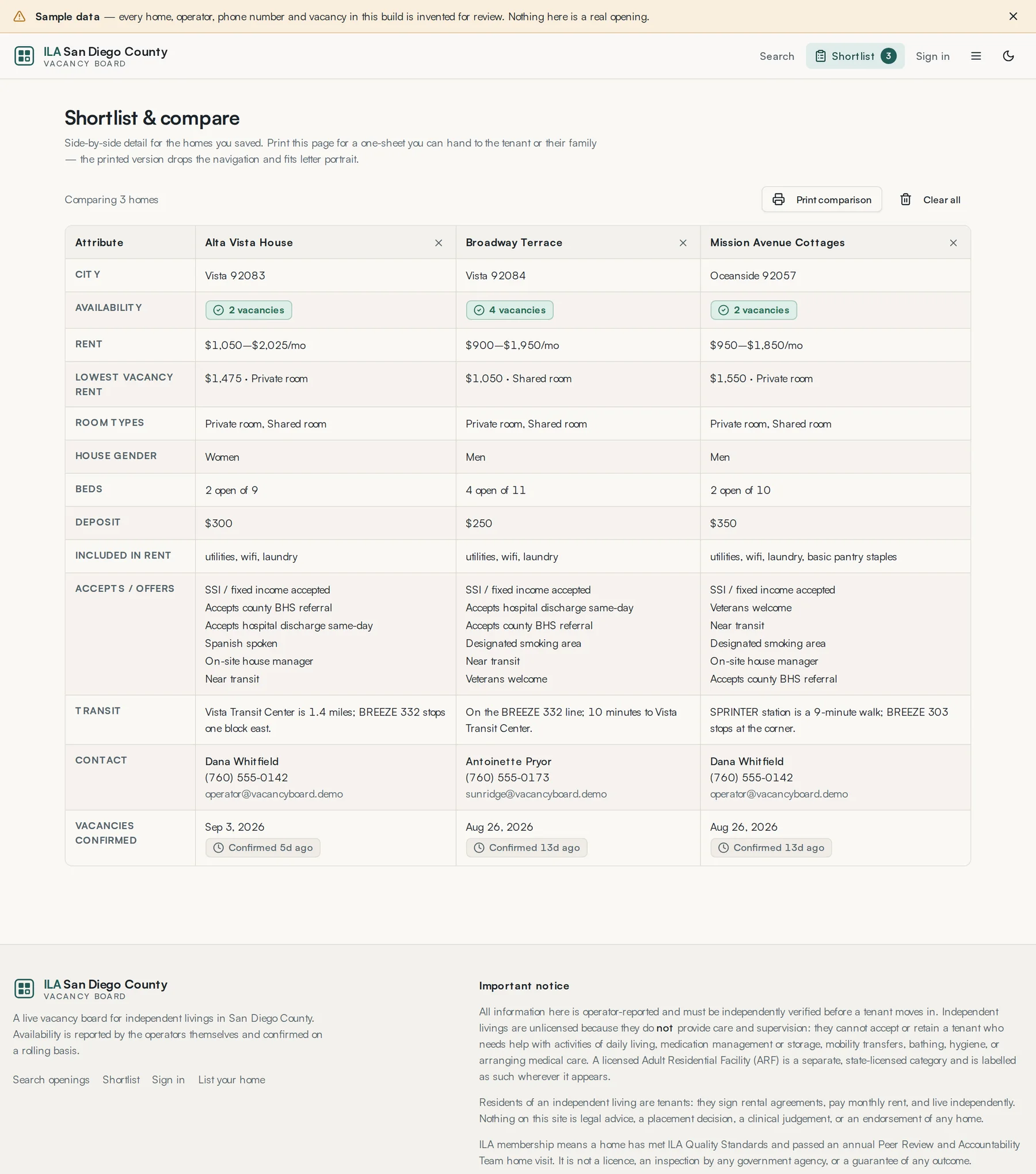
Your shortlist is saved to your individual account. Other users, organization members and ILA staff cannot view it through the application. Printing creates a separate copy you control.
Lesson 6 · about 3 min
On a phone
Do all of the above from a corridor.
Everything works at phone width, which matters because a good deal of this work happens standing up.
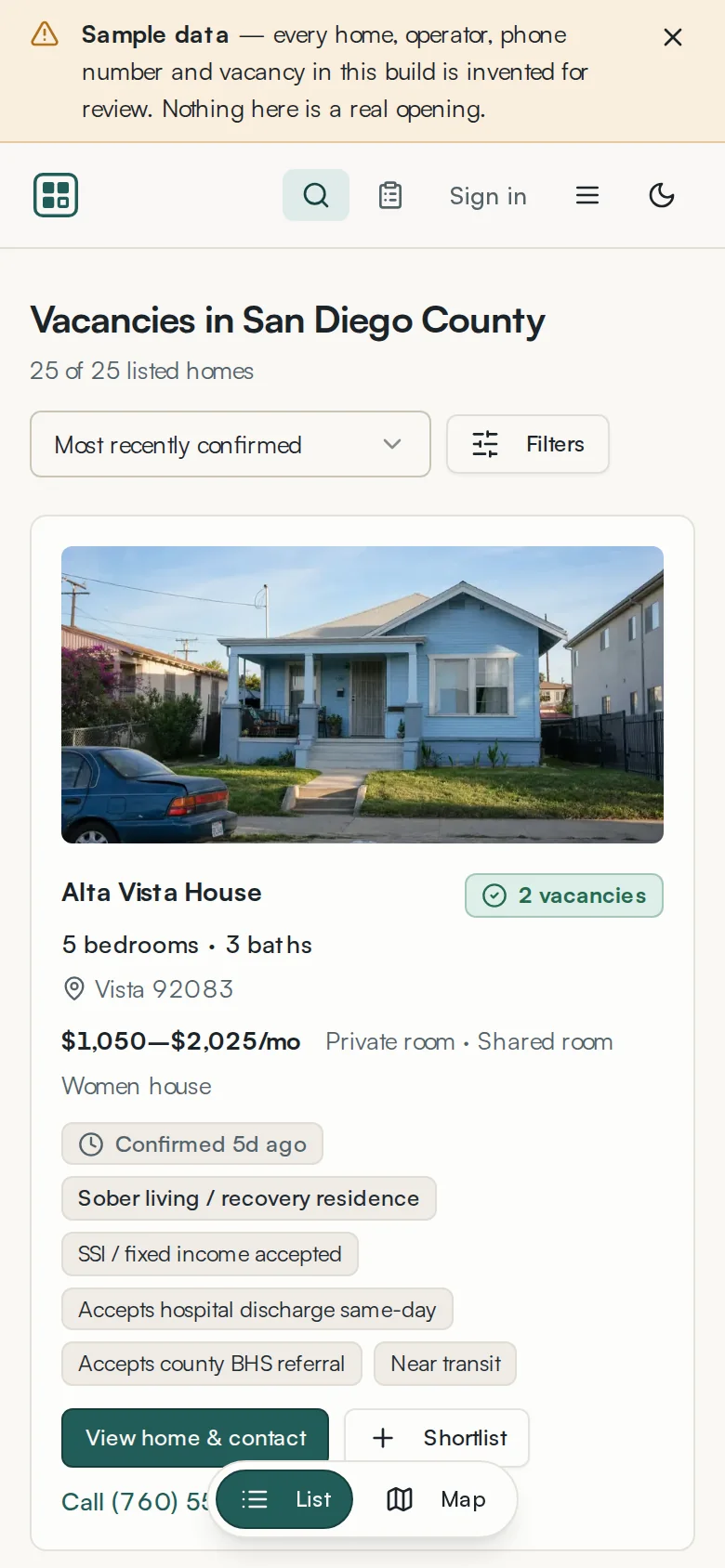
- The filter panel collapses behind a Filters button.
- Results and map become a List / Map toggle pinned to the bottom.
- The wordmark shortens to the mark alone to leave room for the controls.
- Call dials.