Everyone
Start here
What the board is, who uses it, and the one distinction that matters more than any feature on the site.
Lesson 1 · about 4 min
What the vacancy board is
Understand what you are looking at before you use it.
The board is a live list of open beds in independent livings across San Diego County. Operators report their own vacancies and confirm them on a rolling basis. Anyone can search it without an account.
It exists because the alternative is a telephone tree. A discharge planner with a bed to fill today should not have to ring fifteen homes to find the three that have space.
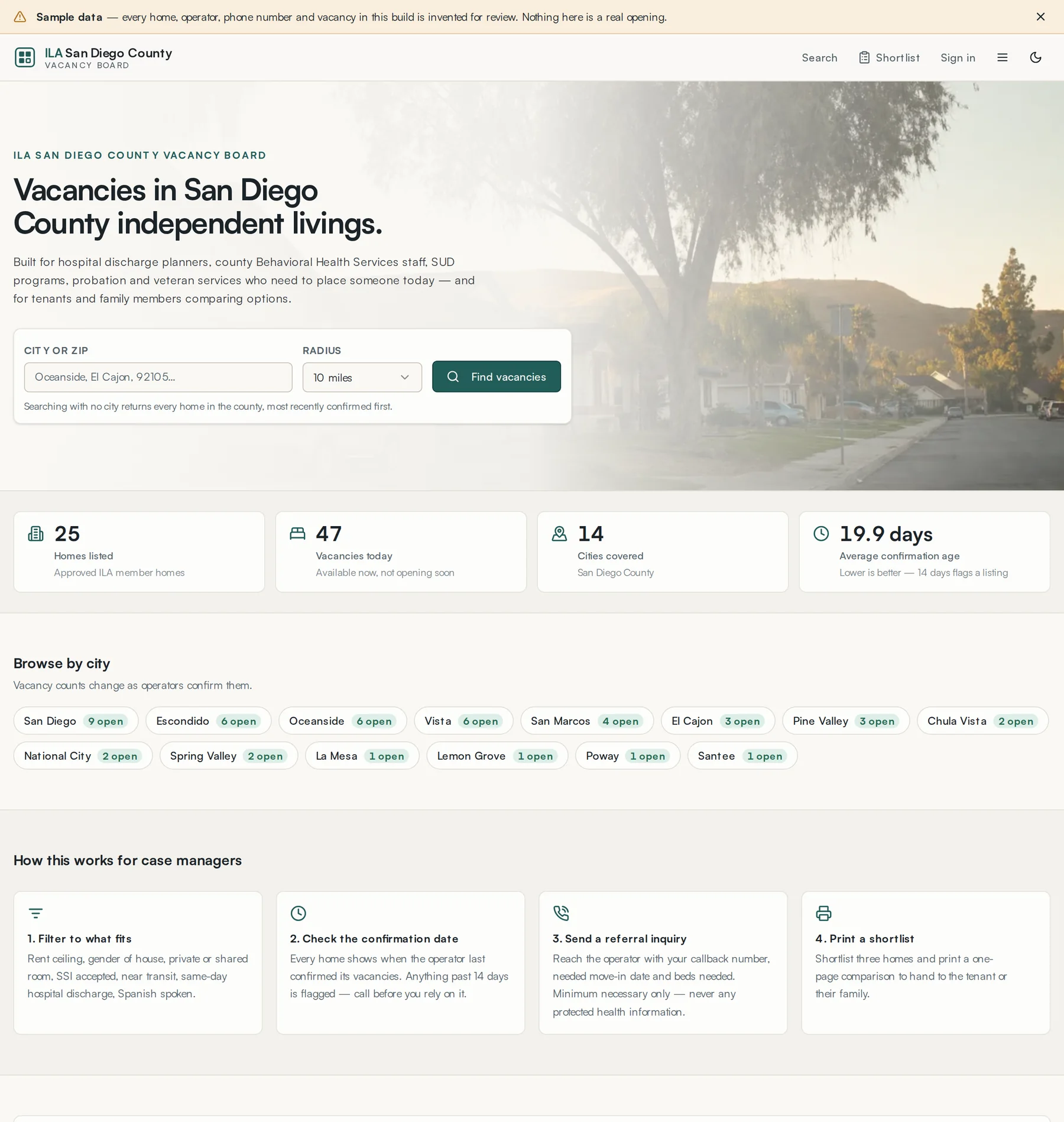
- Availability is operator-reported. It is not verified by the ILA and must be confirmed before anyone moves in.
- Every listing shows how long ago the operator last confirmed it. Anything past fourteen days is flagged in search.
- ILA membership on a listing means the home has met ILA Quality Standards and passed an annual peer review visit. It is not a licence and not a government inspection.
That notice sits in the footer of every page on the site, for the same reason it is the first thing in this guide.
Lesson 2 · about 3 min
The four kinds of user
Work out which part of this guide is yours.
- Anyone, no account
- Search and read listings without an account. Sign in for operator phone numbers and your private shortlist.
- Operators
- Own one or more homes. Keep beds current, answer referral inquiries, edit their listings, and respond to requests on the Placement Desk.
- Case managers and discharge coordinators
- Hospital, county Behavioral Health Services, probation, veterans and shelter staff. They can search without an account. Once verified by the ILA they can also post a referral request on the Placement Desk.
- ILA staff and volunteers
- Approve listings, record peer review visits, verify coordinators, chase homes that have gone stale, and read the audit log.
Your account has exactly one of these roles, and the header changes to match it. There is no way to hold two at once, which is deliberate: an ILA administrator does not own homes, and an operator does not approve their own listing.

Lesson 3 · about 4 min
Getting an account
Sign up, sign in, and recover a password.
Sign in to see operator phone numbers and save a private shortlist. Each person uses an individual account.
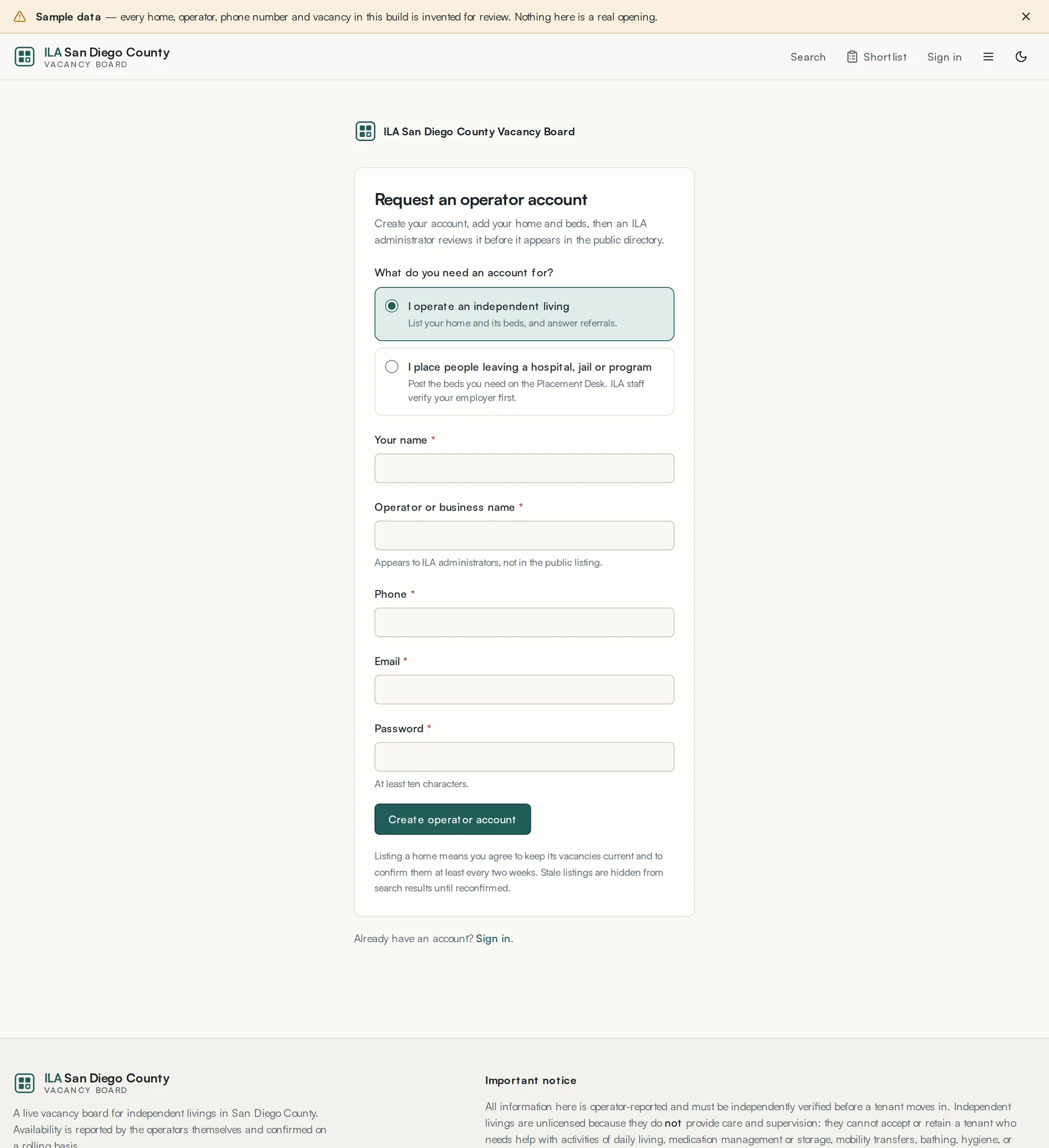
- Press Sign up in the header.
- Choose what you need the account for: I operate an independent living, or I place people leaving a hospital, jail or program. This one choice sets the role on your account.
- Fill in the rest — your name, the operator or business name, a telephone number, a work email address, and a password of at least ten characters. The business name is shown to ILA administrators, not in the public listing.
- Press Create operator account (or Create coordinator account).
- Operators can add their first home straight away. Coordinators land on the Placement Desk and are asked to apply for verification before they can post a request.
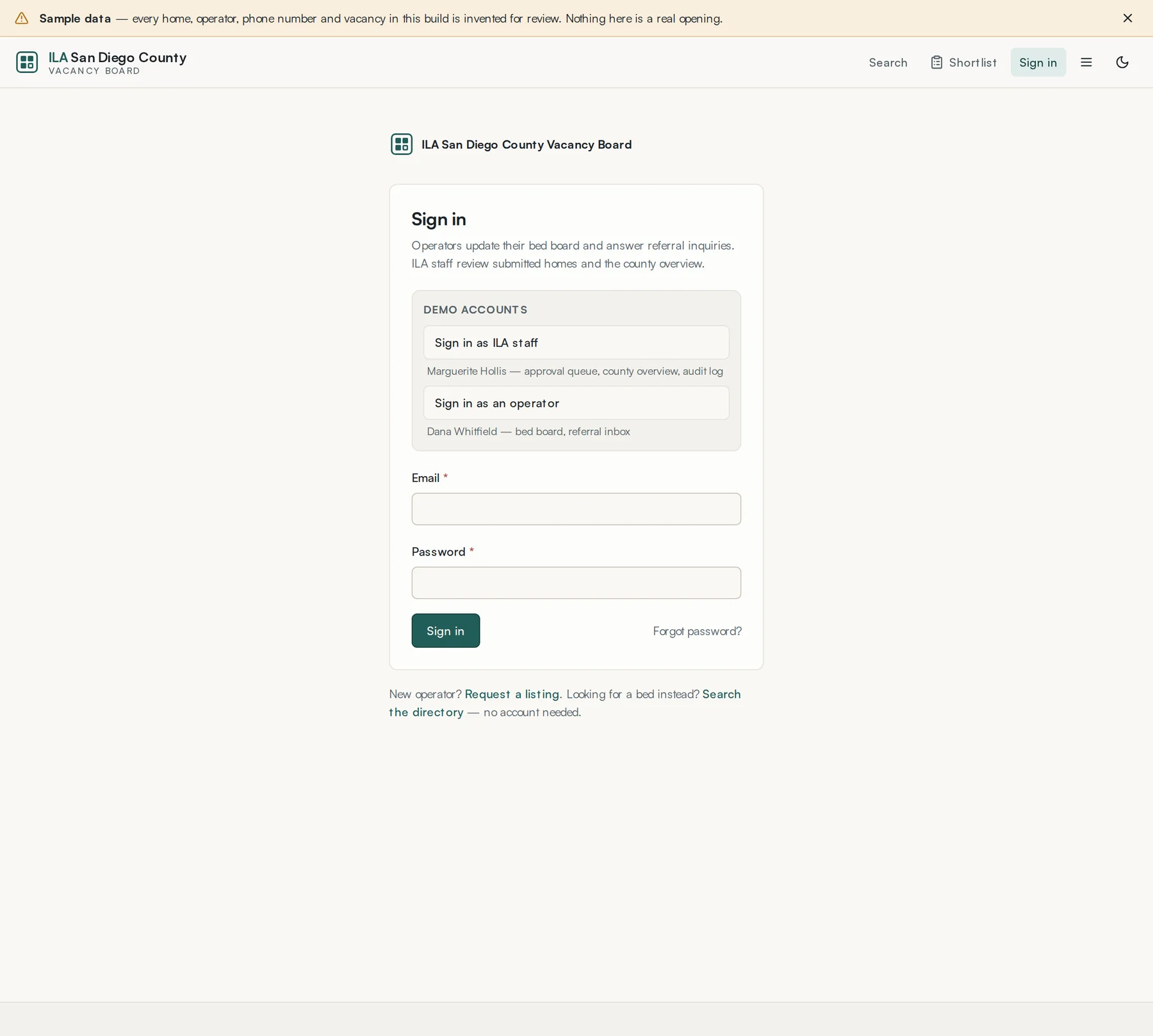
Forgot your password: use Forgot password on the sign-in page. A reset link arrives by email and is good for one use.