Verified discharge coordinators and case managers
The Placement Desk
Post what you need once and let the homes that match come to you, instead of ringing fifteen of them to find three.
Lesson 1 · about 4 min
What the desk is for
Know when to use the desk and when to just search.
Search is the right tool when you know roughly what you want and have time to ring around. The desk is the right tool when you have a hard requirement and a date, and you would rather describe it once than telephone the county.
You post a request. Only operators whose homes actually match it can see it. They offer specific beds at specific rates. You decide who to talk to, and you record what happened.
- No one is described
- There is no field anywhere on the desk for a name, a diagnosis, a medication, a history or a date of birth. Post requirements, not people.
- Operators cannot contact you first
- An operator can offer a bed. Only you can open a conversation. There is no way around this in the software.
- Matching is not a filter
- There is no list of all requests. An operator sees a request only if one of their homes satisfies it.
- The ILA can read it
- Every request, offer and message is retained and readable by ILA staff. That is the condition on which this runs on association infrastructure.
Lesson 2 · about 5 min
Getting verified
Get permission to post requests.
Anyone can search the directory. Posting a request means operators will answer a stranger, so the ILA checks first that you are who you say you are.
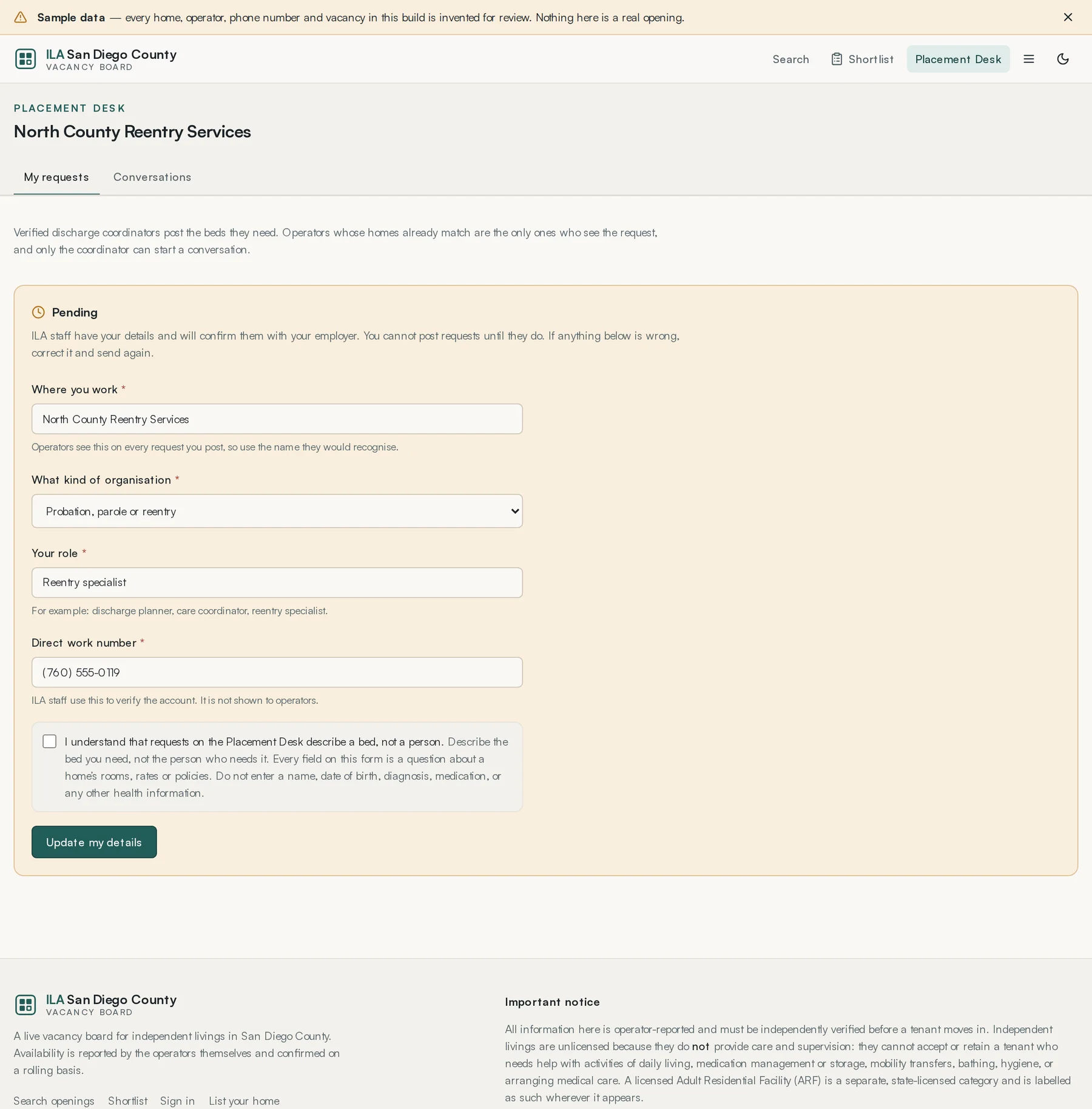
- Create an account and choose that you place people from a hospital, county programme or agency.
- Give your employer, the kind of organisation it is, your role, and your direct work number. The work number is used to verify the account and is never shown to operators.
- Tick the acknowledgement that requests on the desk describe a bed, not a person.
- Submit and wait. Someone at the ILA telephones your employer to confirm.
- When you are verified, the request form appears.
Use your work email address. A personal address makes the person checking your application ring back to ask, which slows it down.
Lesson 3 · about 8 min
Posting a request
Describe a placement precisely enough that only the right homes see it.
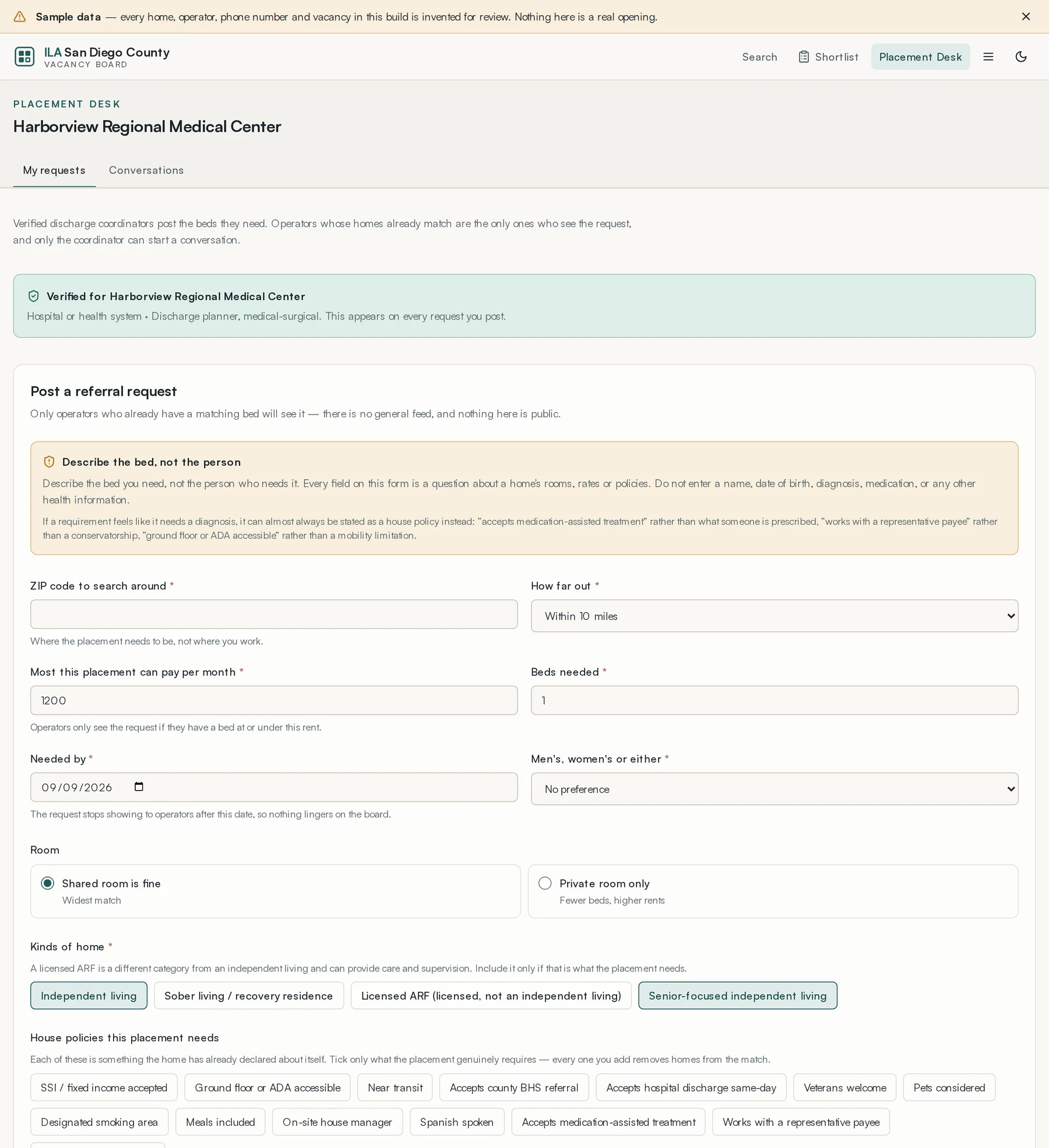
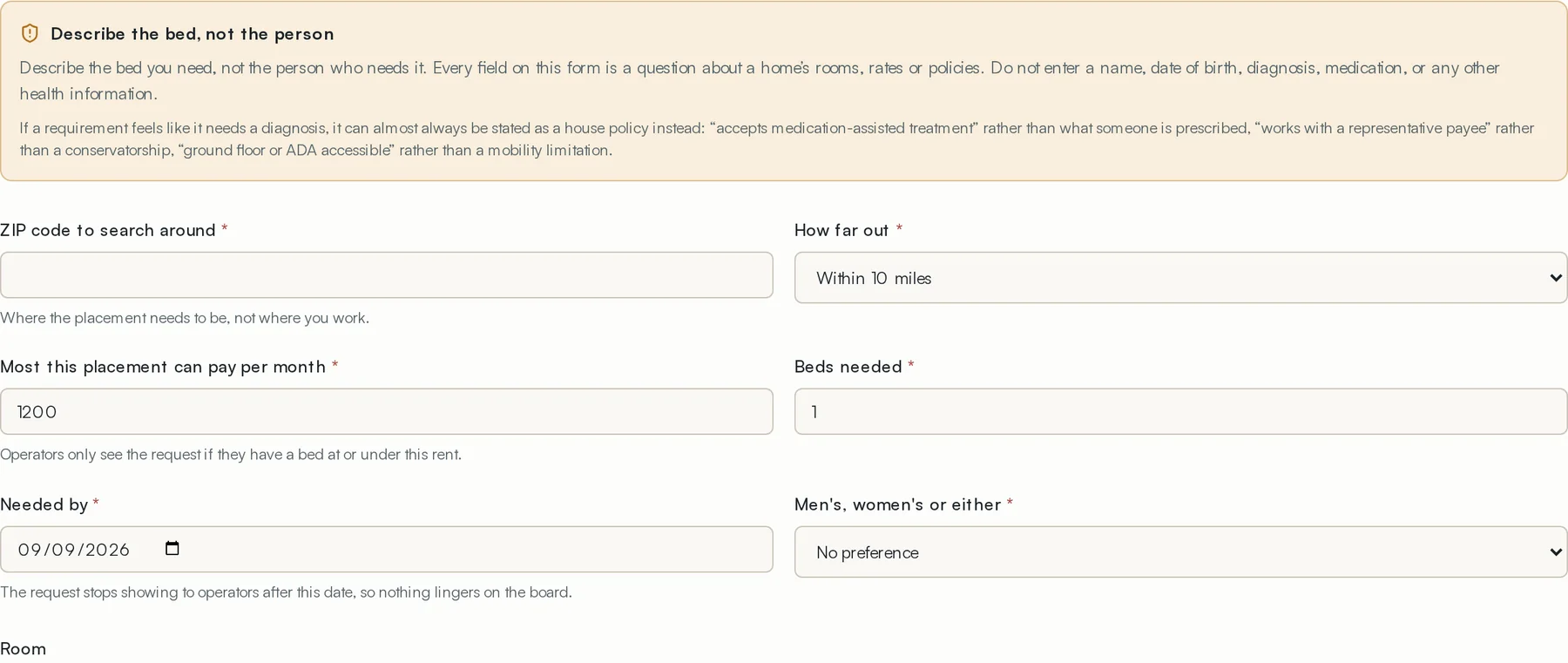
- Give the ZIP and a radius — 5, 10, 25 or 50 miles.
- Set the monthly ceiling. Homes above it will not see the request.
- Say how many beds you need, from one to four.
- Give the date you need it by.
- Choose men, women or either.
- Choose shared acceptable or private only.
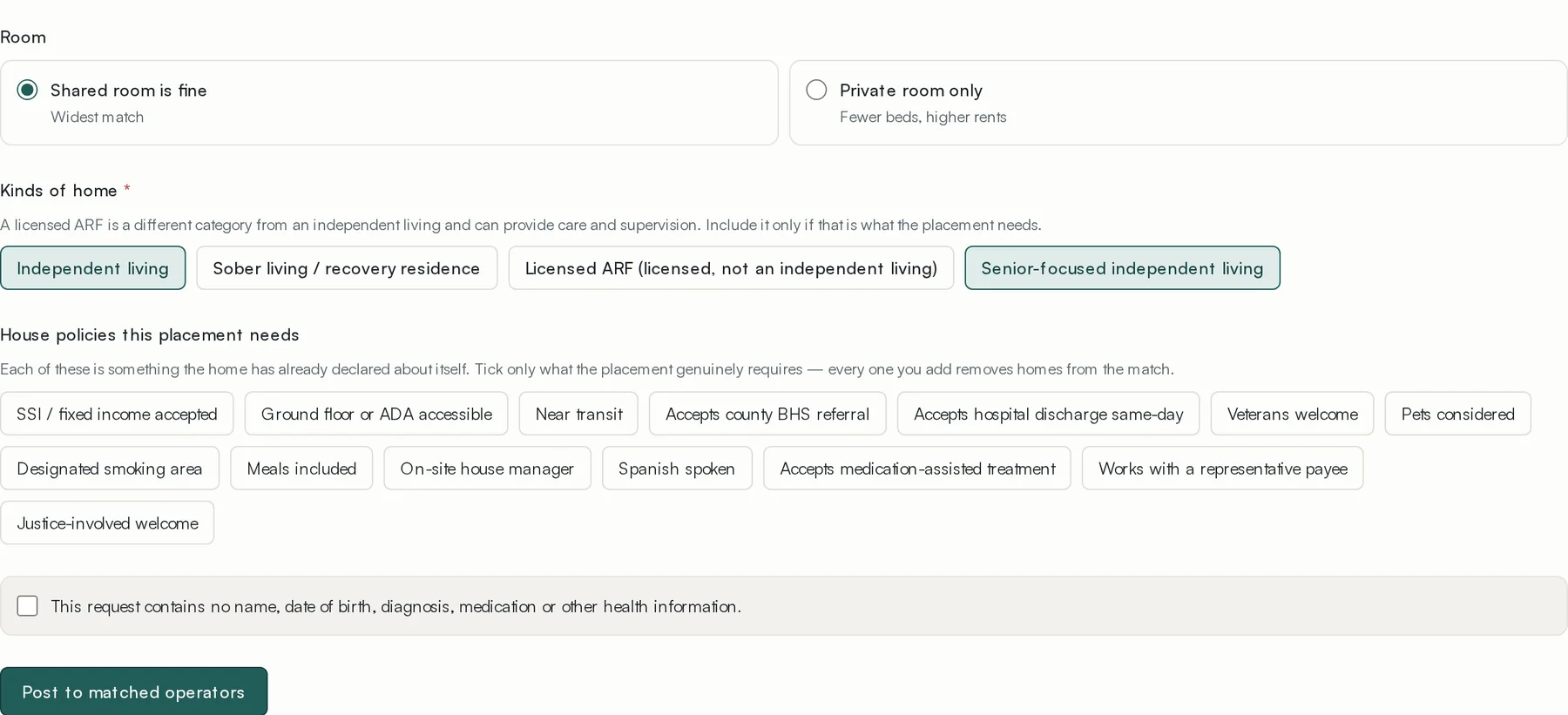
- Tick the kinds of home that would work.
- Tick only the house policies that are genuinely required.
- Write a short note about what the placement needs — not about the person.
- Post it.
Lesson 4 · about 6 min
Reading offers and choosing
Compare what came back and decide who to talk to.
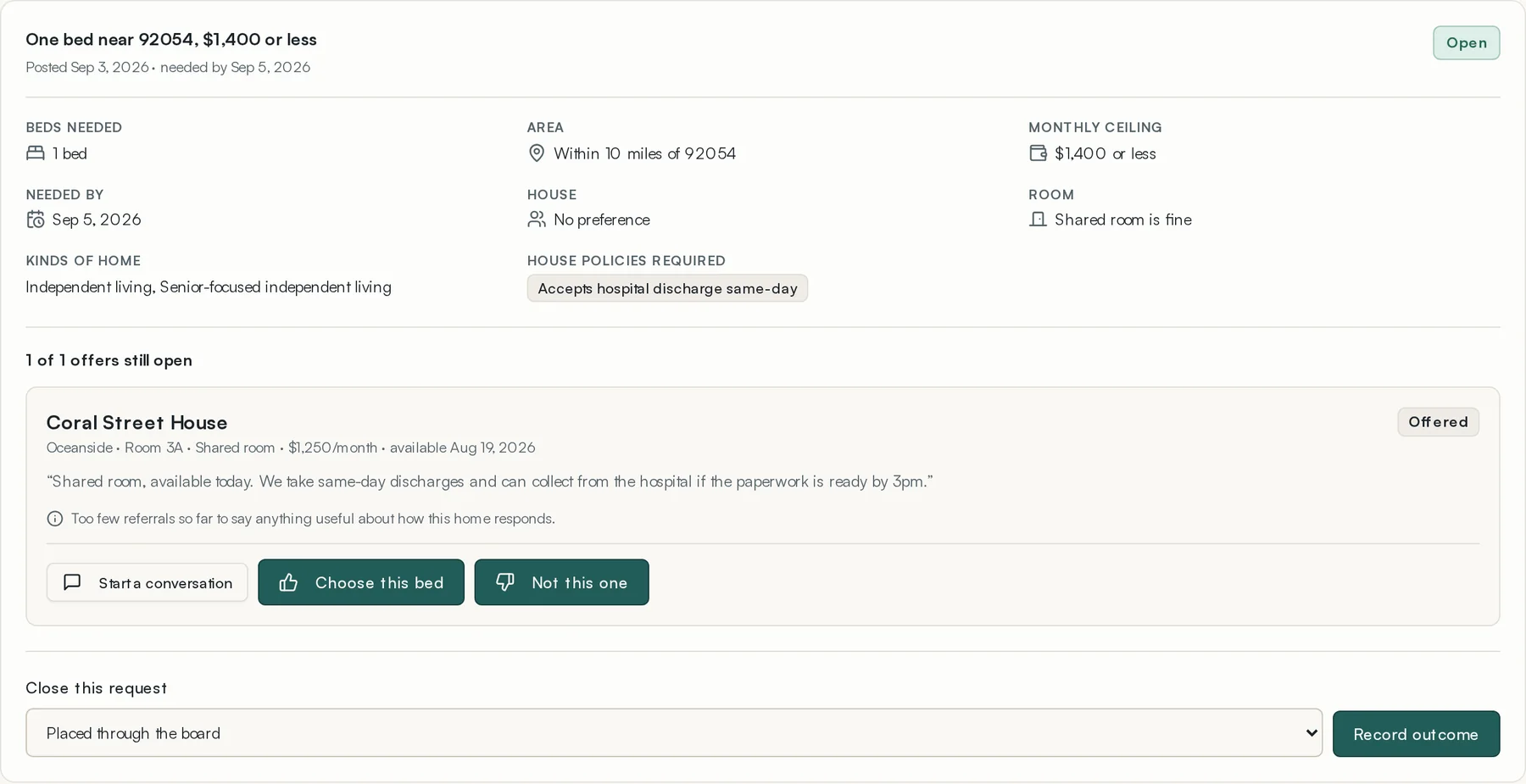
Each offer names a specific bed in a specific home at a specific monthly rate, with an optional note from the operator. You can open the listing to see the home in full.
Where there is enough history, an offer carries a short reliability line built only from what has actually happened on the board — how quickly that home has answered, and how often its offers turned into placements. Below three observations it says so rather than guessing, and it never describes an individual.
- Read the offers.
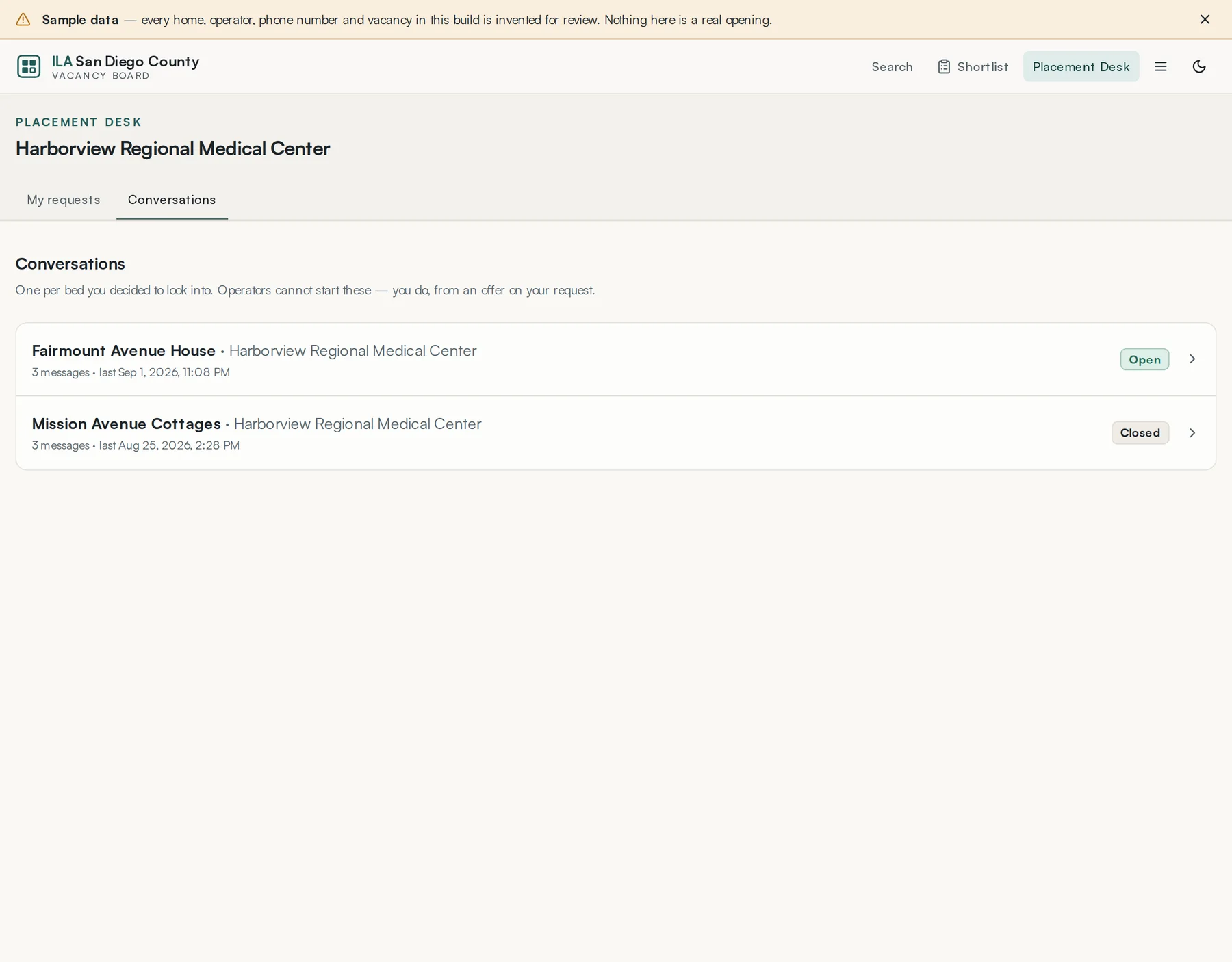
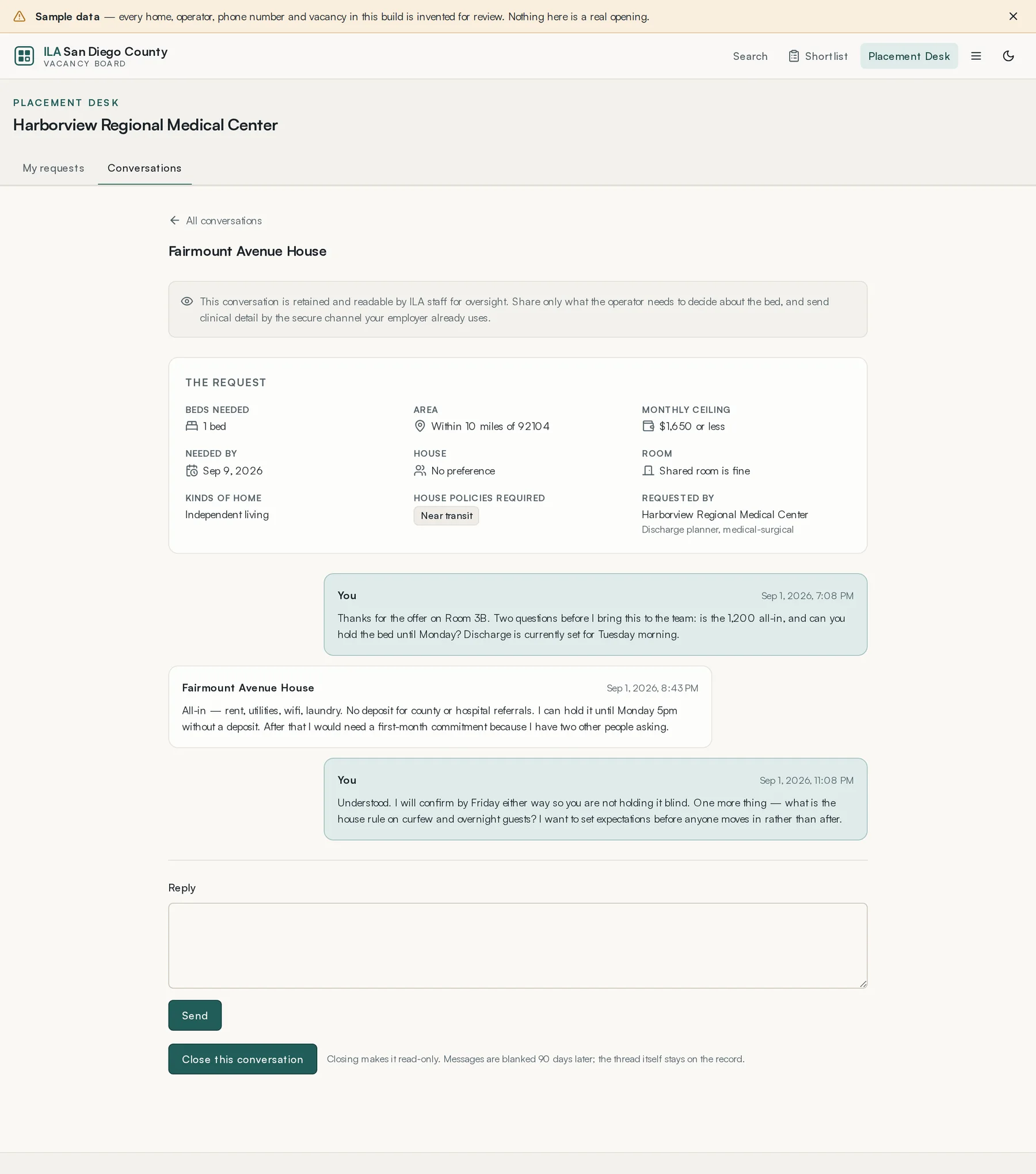
- Press Start a conversation on the one worth pursuing. That is the only thing that opens a channel to an operator.
- Agree the practical details — the bed, the rate, the timing.
- Telephone the home. The board is not a substitute for that call.
Lesson 5 · about 4 min
Closing a request
Record what happened, including when nothing did.
Every request should end in one of four outcomes:
- Placed here
- You placed the person in a home that offered through the board.
- Placed elsewhere
- You placed them, but not through the board.
- No longer needed
- The placement stopped being necessary.
- Nothing suitable was offered
- The board failed you.
Closing a request withdraws the outstanding offers against it and closes its conversations, so operators are not left holding a bed for a placement that already happened somewhere else.